
Unified Analytics
Dynamic boards are part of our early access program and may not be available on your account. Contact your Customer Success Manager to learn more about joining the program.
Custom metrics in dynamic board widgets
You can now use your account's custom metrics when you build a widget on a dynamic board. Custom metrics appear in the Custom Metric section under Post level in the metric picker, and every widget format is supported — charts, tables, and content cards.
If Emplifi updates one of your custom metrics, the widgets using it are rebuilt automatically and you are prompted to reload the board.
Learn more: Use Custom Metrics in Dynamic Board Widgets
Bot
Data Retention Setting
The Bot Authoring Settings menu has been updated with a toggle to allow users to define the time period they wish to retain Bot conversation data for, allowing automatic deletion of conversations after a specific time period has elapsed. The setting is completely optional and can be used at the clients' discretion to align with their own business policies.
Learn more: Data Retention Settings for Bot Conversations
Agent Chat Widget - Availability Defaults
A planned update to the Agent Chat Widget to allow persistent statuses for signed-in agents between page refresh events, eliminating the need to manually re-set a user to “available” after a refresh event happens. This change also updates available settings to provide an optional “Keep status on reload” setting to accommodate the above preference.
Bot API update - Multi-part/form data request support
A planned update to Bot’s APIs to allow custom API calls using multipart/form-data to successfully reach a compatible endpoint that requires form-data without triggering line-length or formatting errors.
Ratings and Reviews
AISEO / GEO Support
Ratings & Reviews can now deliver your product ratings and individual reviews as server-side structured data (JSON-LD), making the content easier for AI-driven search engines and assistants to read, index, and surface in AI-generated answers and recommendations. The structured data includes your aggregate rating alongside individual review content.
Learn more: AISEO / GEO support
Community and Care
Choose which case statuses count toward agent capacity
You can now decide which case statuses count toward agent capacity in Care. In Settings → Care → Case statuses, switch each status on or off. For example, you can exclude cases waiting for a customer reply (Pending) or paused cases (On Hold), so that they no longer take up an agent's capacity and agents can receive new cases sooner.
When an agent reaches their maximum capacity, no more cases are assigned to them automatically. The setting applies to the whole account and requires the Manage Care workflows permission.
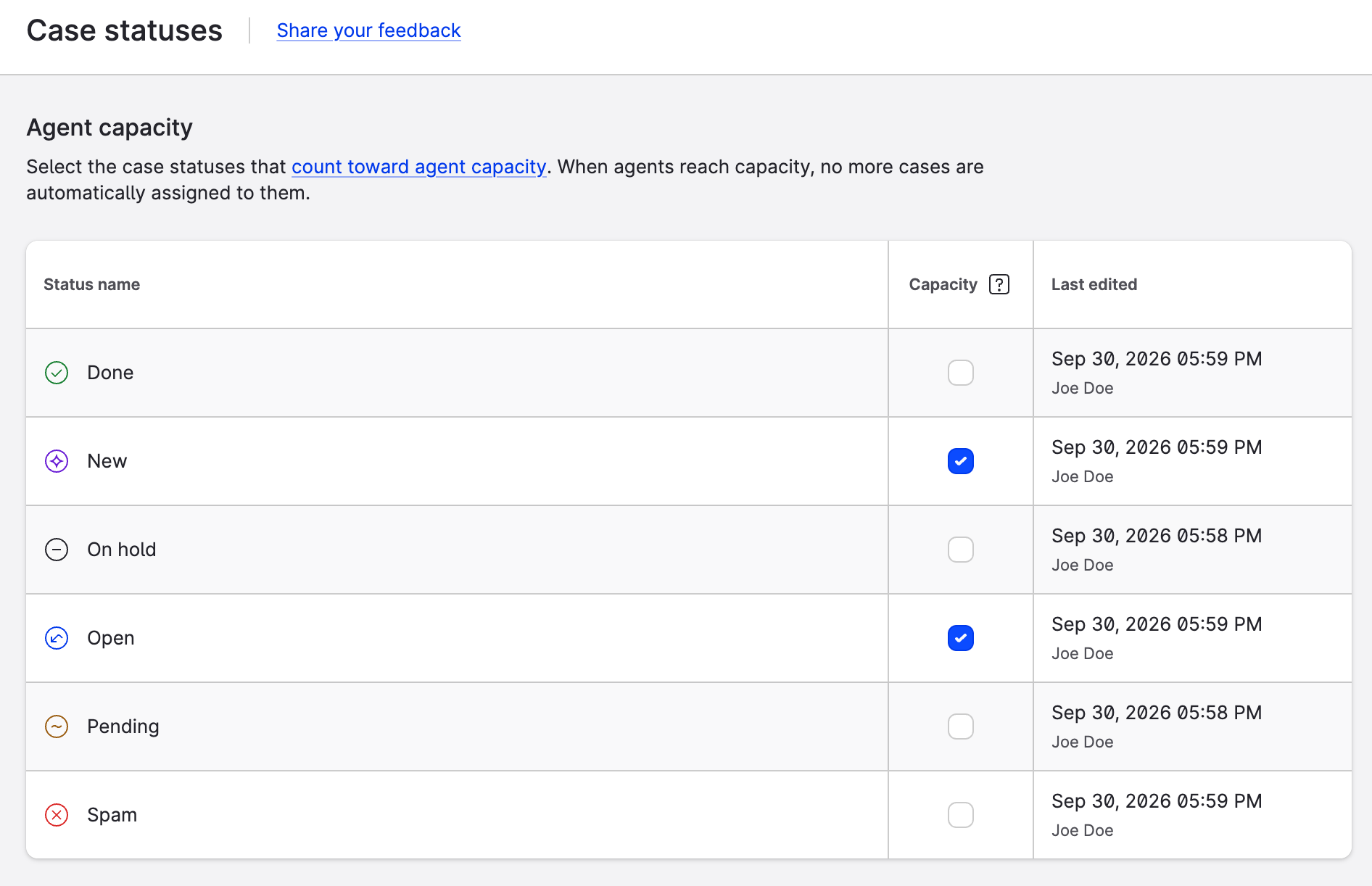
Learn more: Set Up the Maximum Capacity for Care Users
Case summary improvements in Care
AI Summary in Care now works better for multilingual teams and older cases:
-
Summaries for older cases. You can now generate a summary of a case even when its last message was posted more than 90 days ago, for example, when you work on an escalation or review the quality of an older case.
-
Summaries in your preferred language. When translations are enabled in Care and you set a preferred language, summaries are generated in that language instead of the language of the case.
-
Remembered summary format. Care now remembers whether you prefer bullet points or a single paragraph. The format of the summary that you last inserted as an internal note is applied the next time you generate a summary.
Translate internal notes in Care
You can now translate internal notes. If an internal note is written in a language that differs from your preferred language, a Show translation option appears under it, so you can read notes left by colleagues in other regions without leaving Care. The original text of the note is not changed.
Available when translations are enabled in Care, for internal notes added after this release.
Translations in Community based on the language of each message in the Direct Conversation
In Community, the Show translation option is now displayed based on the language of each individual message instead of the language of the whole conversation, so that conversations containing messages in several languages are handled correctly.
Learn more: