
Unified Analytics
AI Insights
AI Insights are available as part of Emplifi Fuel. If you don’t have the Fuel strategic Command Center enabled for your account, contact your customer success manager to learn more.
AI Insights is a new AI-powered feature in Unified Analytics that analyzes widget data and automatically generates meaningful insights to support faster, smarter decision-making.
What it does
-
Analyzes data directly within Unified Analytics widgets
-
Automatically structures insights into three clear sections:
-
Observation: A concise, factual summary of what the data shows, highlighting key trends without interpretation
-
Analysis: A deeper explanation of why or how those patterns occur, including relationships, trends, differences, or anomalies
-
Suggestions: Actionable recommendations that guide next steps and help improve outcomes
-
Key points
-
Transforms raw data into clear, structured insights
-
Provides both context and actionable guidance
-
Helps users quickly understand performance and identify opportunities
Learn more:
Unified Analytics
Use AI Insights
Care
Custom Order of Case Views
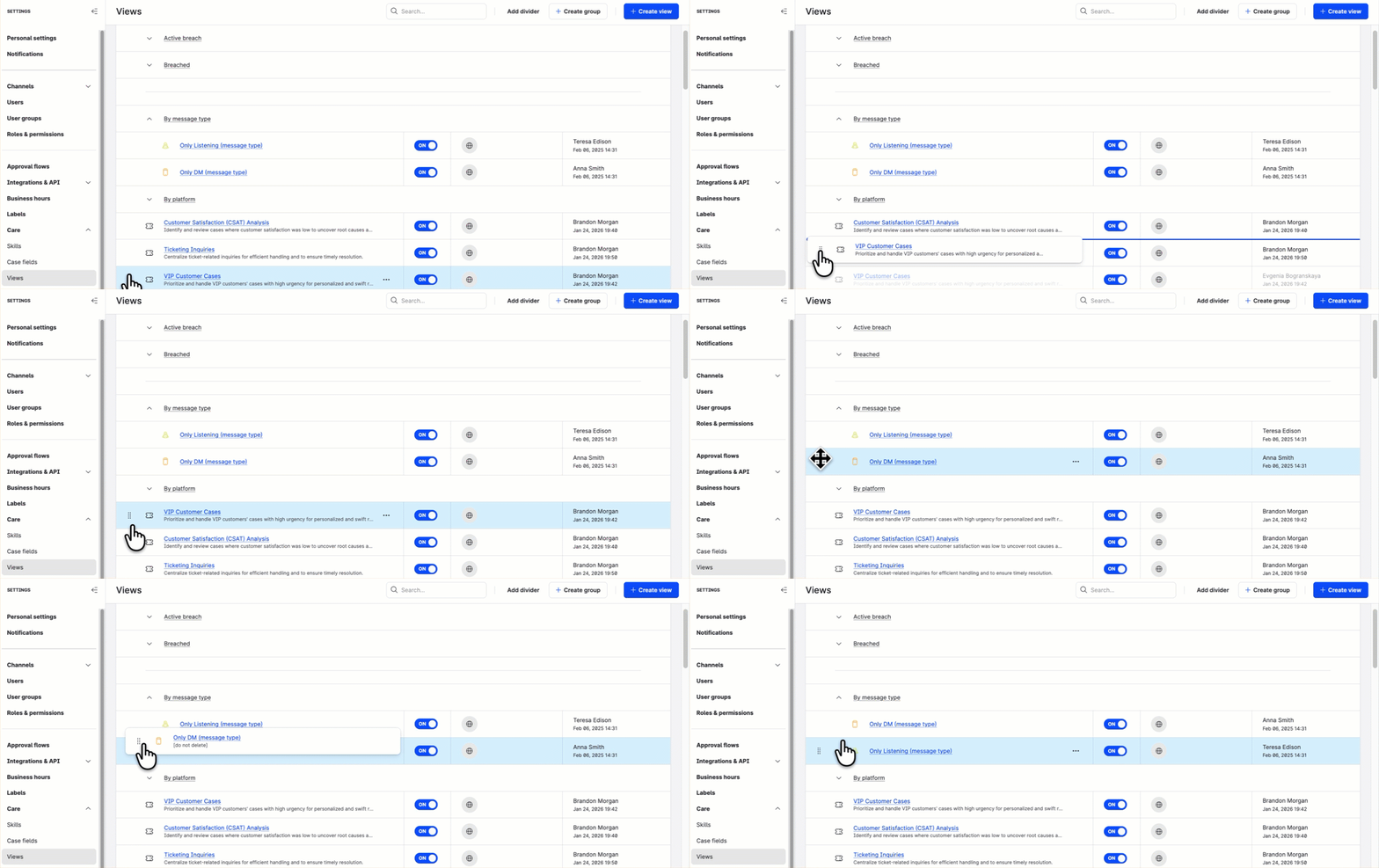
In Care, you can now change the default alphabetical order of case views and view groups and reorder the views as you need. This helps Care agents focus on the more important work first.
To reorder the case views, go to Settings → Care → Views, and drag and drop a case view or a view group to the new position. You can also add dividers to visually separate logical blocks of views. The changes are saved automatically and are immediately reflected in Care.
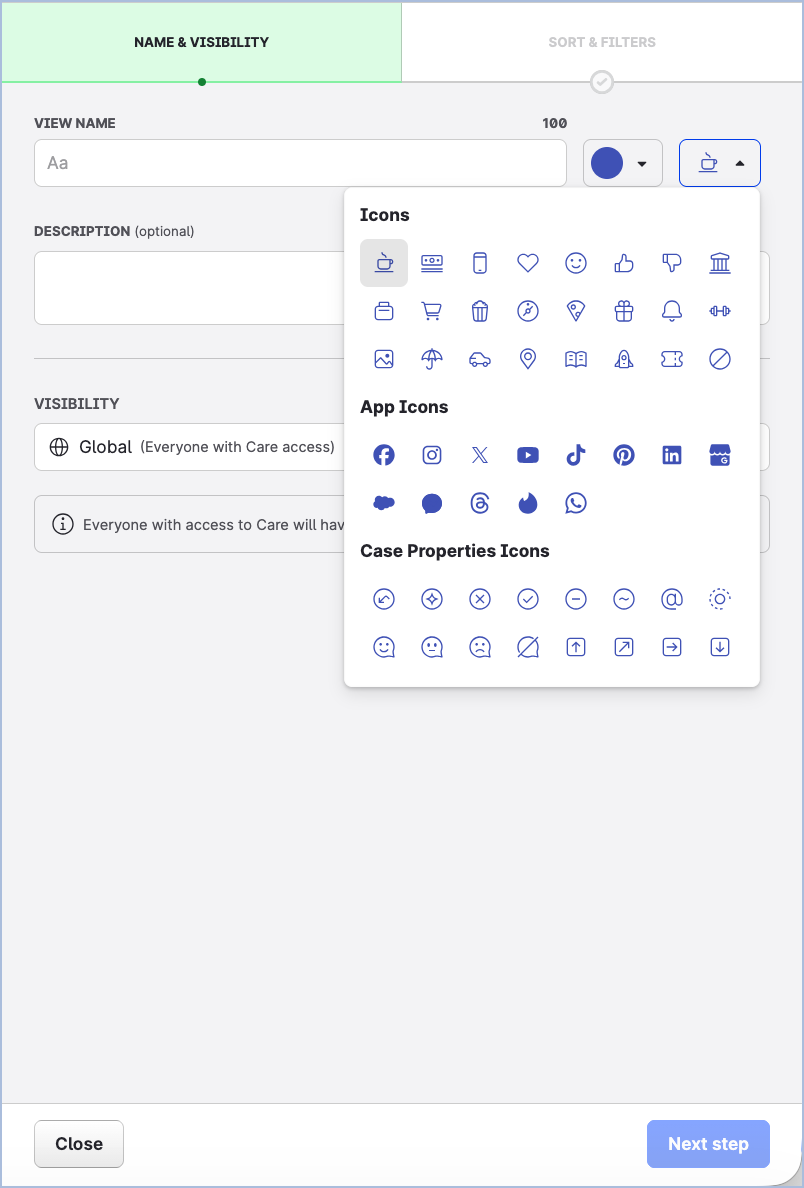
We also added new icons to help you easier differentiate case views.
New Filters in Case Views
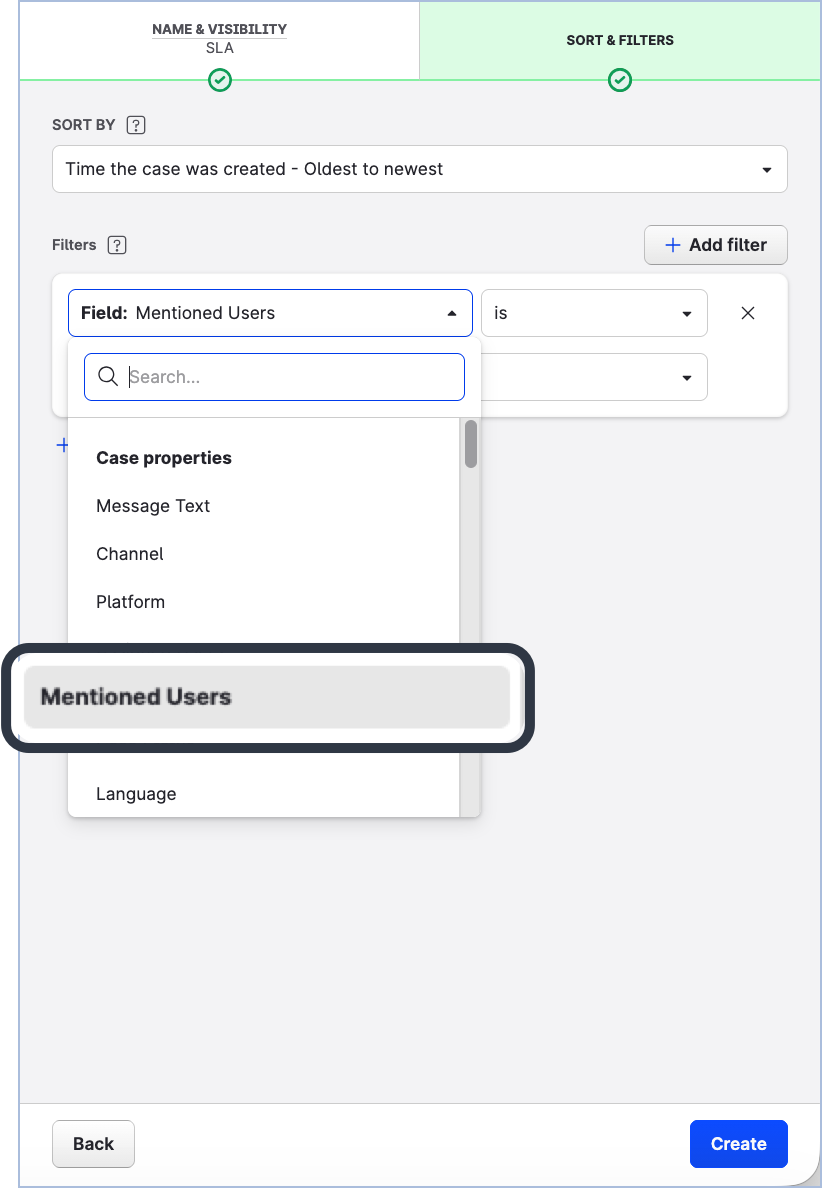
A new filter is now available in case views: Mentioned users.
-
When a specific user is selected as the value of this filter, the view shows both the cases where this user is mentioned directly and the cases where a user group including this user is mentioned.
-
When a user group is selected as the value of this filter, the view shows the cases where this user group is mentioned. The cases where the individual users included in this user group are mentioned directly will not appear in this view.
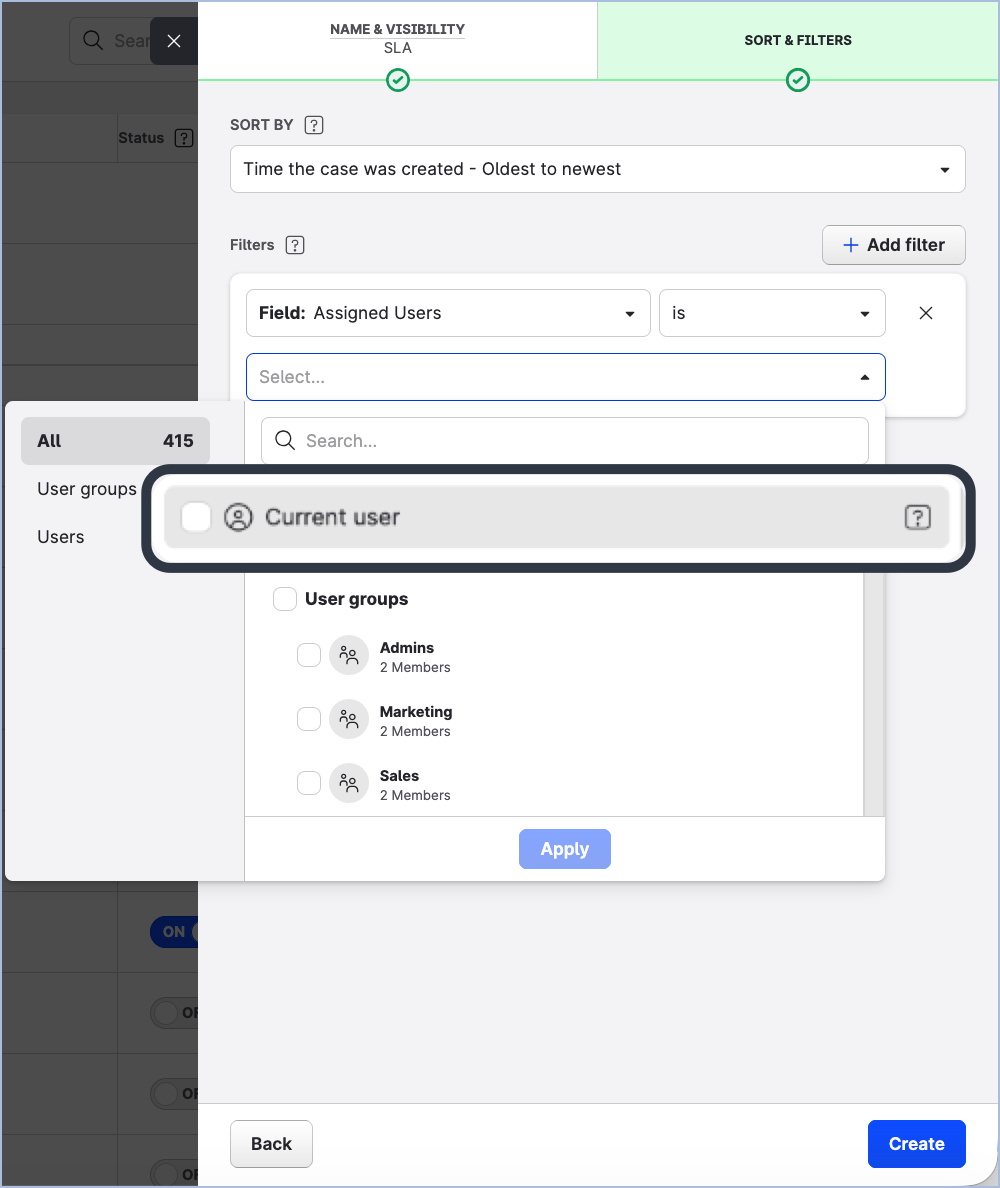
The Mentioned users filter and the Assigned users filter now both offer a new filter value: Current user, which dynamically resolves to the currently logged-in user. This allows you to create one shared view with cases assigned to a user or mentioning a user instead of creating multiple views for each Care user individually.
Learn more:
Create Case Views in Care
Community
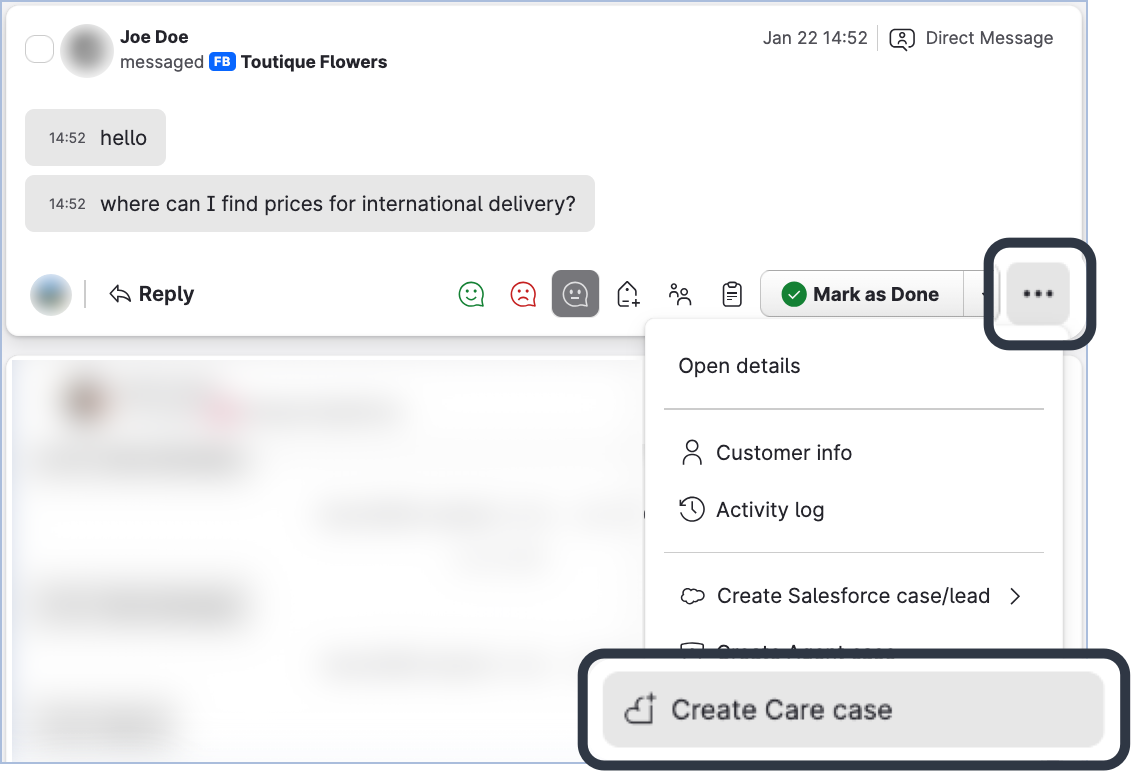
Option to Create Care Case from Individual Direct Message Deprecated
In Community, the option to create a Care case from an individual direct message is no longer available. You can now escalate an entire direct conversation only.
This unifies the escalation process from Community to Care, ensures that the full context is included in the Care case, and reduces ambiguity.
Learn more:
Escalate a Community Message to Care
Bot
Simple Intent Engine
The Simple Intent Engine is a new AI-powered intent handler, designed to support intent detection and conversation routing via AI.
What it does
-
Uses an AI embedding model to convert user utterances into numeric representations (embeddings)
-
Matches customer messages to the correct configured intent profiles
-
Routes conversations to the appropriate configured actions
Key points
-
Powers advanced intelligence via AI for intent detection and routing
-
Only executes actions explicitly configured by the user
-
Easily activated via a single click, removing manual configuration steps
Updated Guidance Text
We have added improvements to the guidance text for response actions within the authoring screen to simplify the configuration interface for users.
Save Transcript Setting Options
We have added a new control to the Save Transcript action. It allows users to choose whether to include system event messages in the transcript. Examples include agent connected/disconnected events, escalation notifications, and agent ringing. Users can also choose to include only messages exchanged between the end user and the bot.
Learn more:
Emplifi Bot
Enabling the Simple Intent Engine
Flow Automations
Flow Automations is currently in early access. Contact your Customer Success Manager to request participation in the early access program. Some features may not be available or change before the full release. Please report any bugs you encounter.
New Content Source
Emplifi customer success managers can now create flows for your account that use Care messages as a content source. Because this is a new content source, new triggers, conditions, and actions are also available. This content source will become generally available to everyone as the early access develops for Flow Automations. To learn more, see Care Messages Flow Automations Reference.
Flow Canvas Editor Updates
Two new actions have been added to make it easier to restructure Flows when optimizing the processing logic:
-
Transform to else branch
Available only below condition nodes that do not already have an else branch. This action converts the edge and all connected components into an else branch of the condition node. -
Transform to branch
Available only on else branch edges. This action converts the else branch of a condition node into a branch edge that shares the same parent as the condition node.
Learn more:
Flow Automations [Early Access]
[REMINDER] Facebook 10-second Video Views Metric Deprecated
As per Meta’s announcement, all paid and organic 10s video metrics and their variants for Facebook were deprecated on January 26, 2026.
Meta’s decision impacts all partners that rely on the affected APIs, including Emplifi and all our competitors.
General Impact
Meta stopped sending data for the affected metrics, and all places where the deprecated metrics were used in analytics stopped updating data for those metrics.
|
Profile level |
|
|---|---|
|
Post level |
|
Replacement Metrics
Meta has not announced replacements for the deprecated metrics. Tooltips for affected metrics were updated.
Full Impact Statement
See Facebook Metric Deprecation (January 2026).