AI Insights is only available for accounts that have Emplifi Fuel.
The AI Insights feature leverages artificial intelligence to analyze data and generate automated insights. Where the use of this feature involves processing by third-party AI service providers, Emplifi ensures that data is anonymized prior to being shared. Third-party AI providers do not receive identifiable customer data, and Emplifi maintains control over the re-identification process in accordance with applicable data protection and privacy requirements.
AI Insights is an AI feature which analyzes data within a widget in Unified Analytics. The generated insights are grouped into three categories:
-
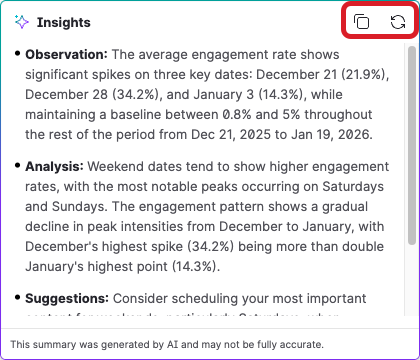
The Observation section is a concise, factual statement about what the data shows. It summarizes the key trends or data without interpretation.
-
The Analysis section takes a deeper look at the data to explain why or how those patterns occur. It highlights relationships, differences, trends, or anomalies in the data, giving context beyond raw numbers.
-
The Suggestions section provides actionable recommendations based on the observation and analysis. They guides decisions or next steps to improve outcomes and leverage insights.
To use the AI Insights feature:
-
In Unified Analytics, open any board you want to analyze.
-
Navigate to the widget within the board that you want to AI Insights for.
-
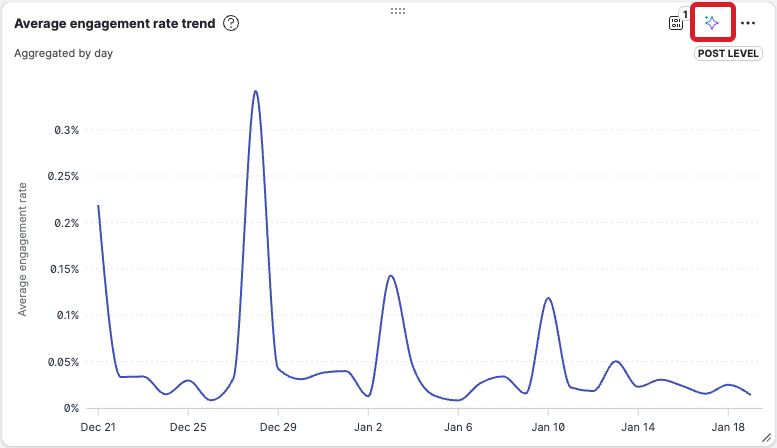
Hover your cursor over the widget and in the top-right corner, click the twinkle icon.
-
AI Insights analyzes the data currently rendered in the widget and provides insights for you in the pop-up window.
-
Optionally:
-
Click the copy icon to copy the generated insights to your clipboard.
-
Click the refresh icon to regenerate the insights to get a new perspective on the selected data.
-