
You can use filters and time aggregation in Unified Analytics to narrow results and analyze trends over time. This helps you focus on the metrics that matter.
For example, you can analyze all collected mentions from a specific platform and analyze all positive sentiment in Listening, or save your filter configuration as a view (refer to: Create a Saved View).
-
Filters and time aggregation are available only on selected boards.
-
Filtering options depend on the board, selected profiles, and the social network.
Filter data on a board
-
Open Unified Analytics.
-
Open a board that supports filtering.
-
In the controls bar, click Filter.
-
Select one or more filters.
-
Click Show results.
Aggregate data by time period
Filters and time aggregation are available in the controls bar and can be used in:
-
Overview mode
-
Profile vs. Profile mode
-
Multicomparison mode (if available on the board)
You can use time aggregation to display results by a specific time interval. For example, to review performance trends, you can aggregate data by week for the last three months.
To aggregate data by time period:
-
Open a board that supports time aggregation.
-
In the controls bar, open the time aggregation control.
-
Select an interval:
-
Day
-
Week
-
Month
-
Quarter
-
Year
-
Review, remove, or save filters
After you apply filters, you can review them under the controls bar.
-
Turn off individual filters as needed.
-
Click Reset to remove all filters.
-
If your board supports views, click Save as view to save the setup. For more information, refer to: Create a Saved View.
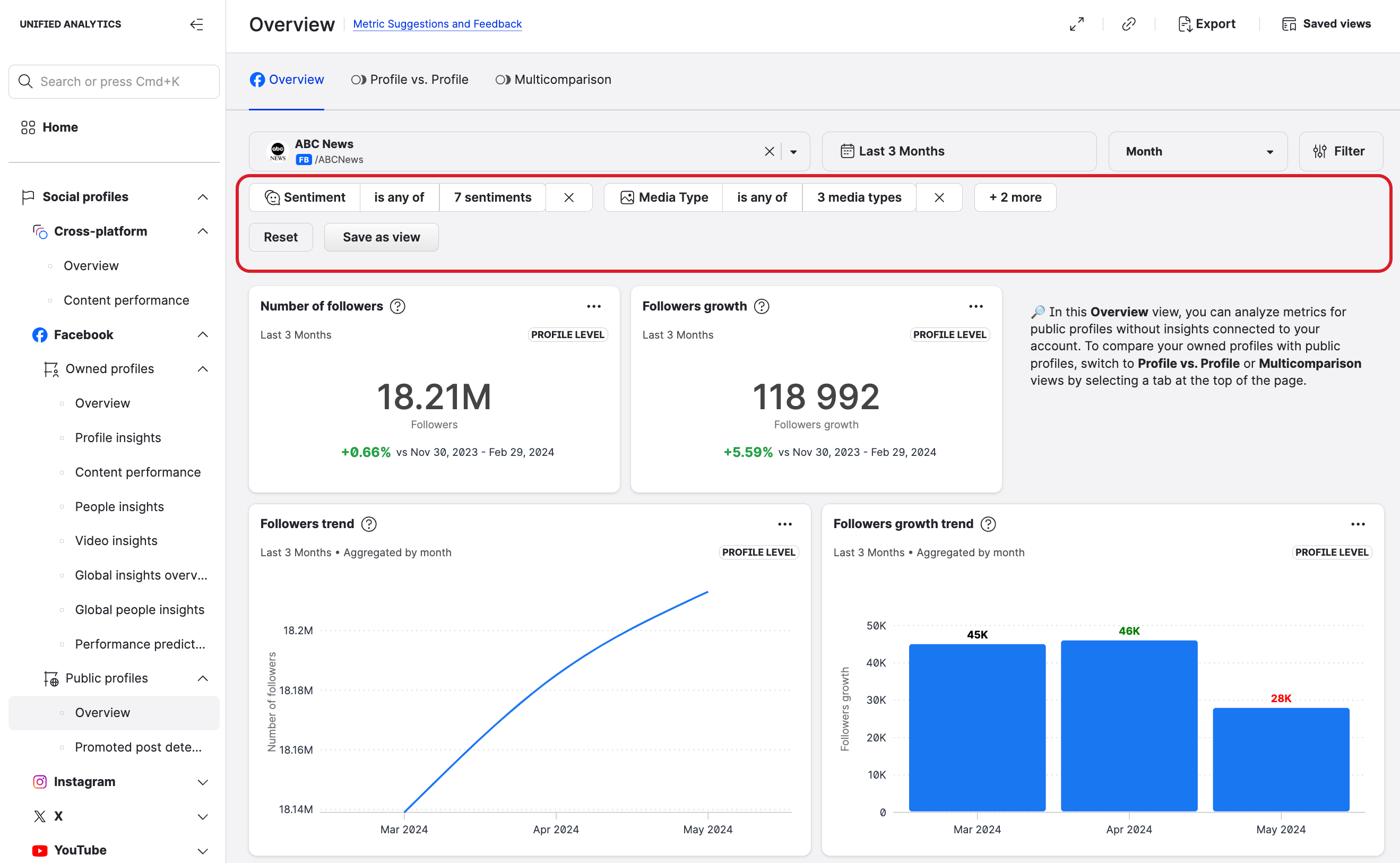
Filter behavior by widget type
Filters are applied only to widgets that show post-level data. As a result:
-
If a board includes profile-level widgets, those widgets do not change when you apply filters.
-
If a board contains only profile-level widgets, filtering is not available.
-
If a board contains both post-level and profile-level widgets, filtering affects only post-level widgets.
Common filters in Social Profiles boards
Available filters depend on the selected board and profiles, but can include:
-
Content labels
-
Sentiment
-
Platforms
-
Content type
-
Media type
-
Origin of content
-
Content quality
-
Content visibility (published/unpublished posts, listed/unlisted videos)
Common filters in Listening boards
Available filters depend on the selected board and queries, but can include:
-
Keywords and hashtags
-
Content labels
-
Platform
-
Sentiment
-
Language
-
Country
-
Interest
-
Content type
-
Media type