The Simple Intent Engine is an AI-powered intent handler. It is designed to power intent matching and routing within the Emplifi Bot platform. It performs this task by using an AI embedding model to convert the structure of sentences (or “utterances”) that customers type into the chatbot interface, redefining them as numeric representations (embeddings) and using this to match the utterance with the correctly configured intent profile and the configured actions associated with it. It will not take any actions that the user has not configured themselves within their Bot.
This is an optional feature that clients can decide to use or not at their own discretion.
The use of AI with this feature is as follows:
-
The feature does not capture or otherwise “scrape” any information from customers.
-
The feature does not generate responses or content to display to users or otherwise create anything via AI.
-
None of this information is shared externally to 3rd-party providers or organisations.
-
This information is not collected in a data lake or other database with other Emplifi client data.
When creating a chatbot, in order to use advanced intelligence for conversation detection and routing, a handler must be used to power the configured intent profiles and actions.
Before you enable the Simple Intent Engine, ensure you have configured your bot conversation flows and response, and have configured the intents and actions you want to associate with them.
To enable the Simple Intent Engine:
-
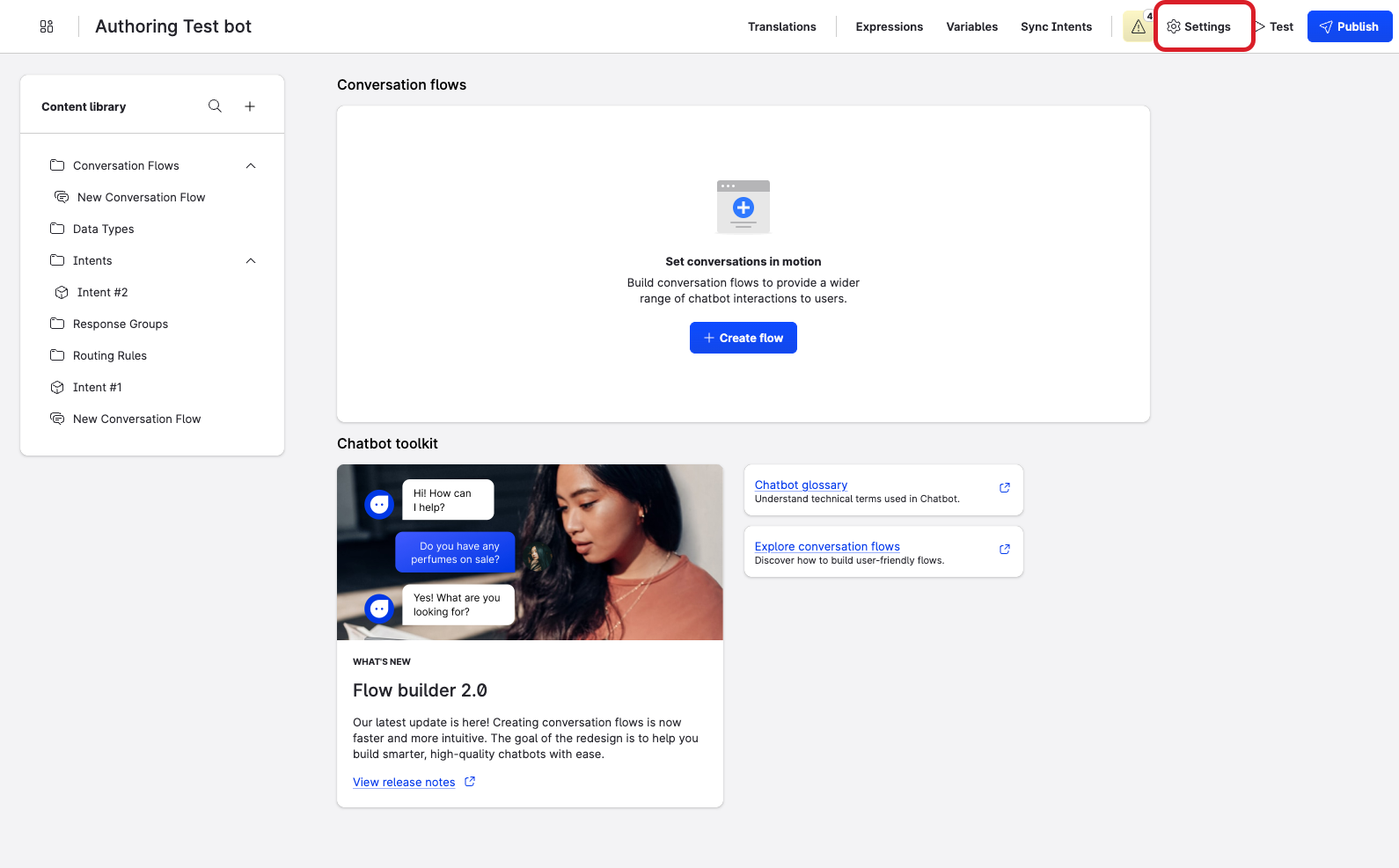
At the top of the bot authoring page, click Settings.
-
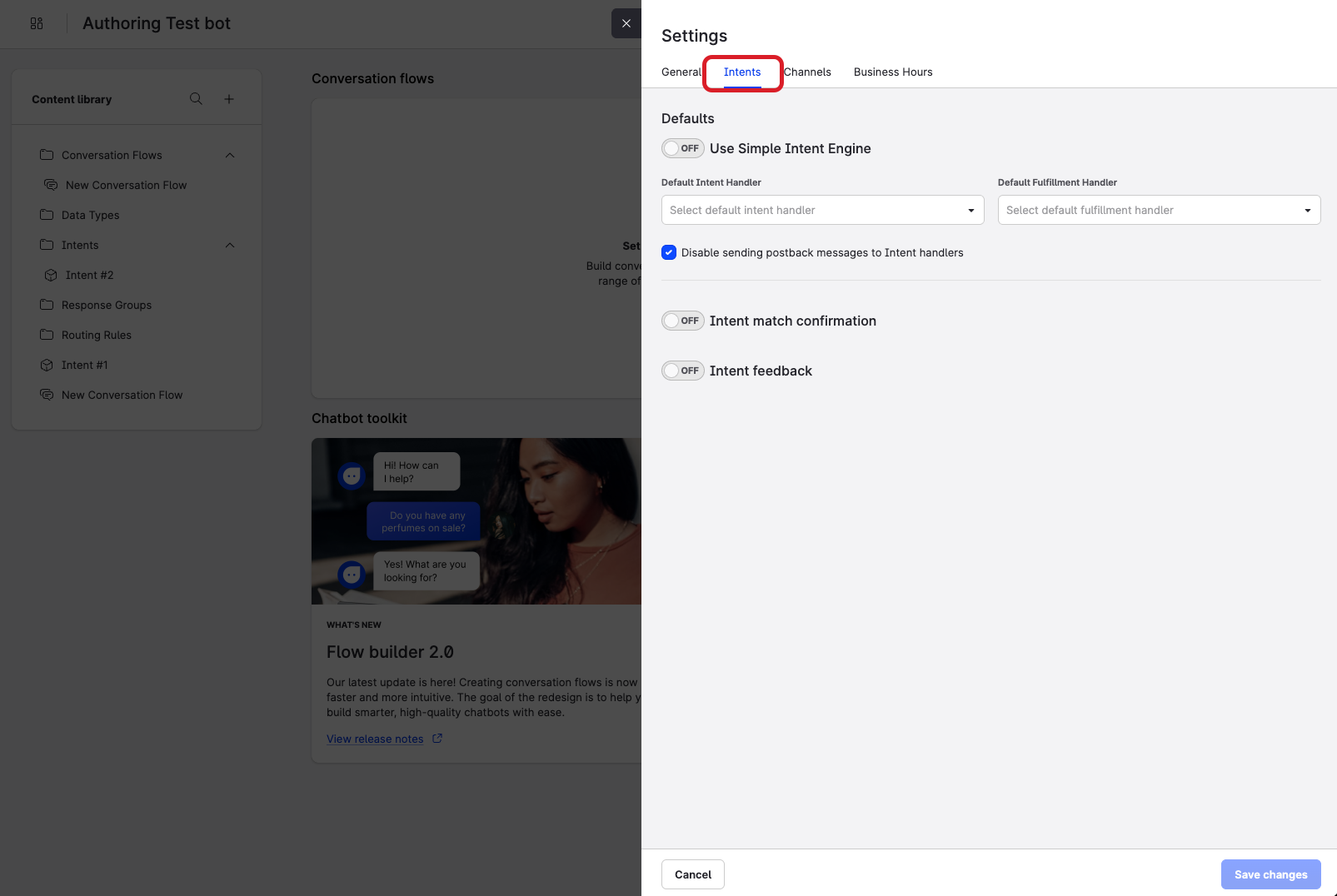
Select the Intents tab.
-
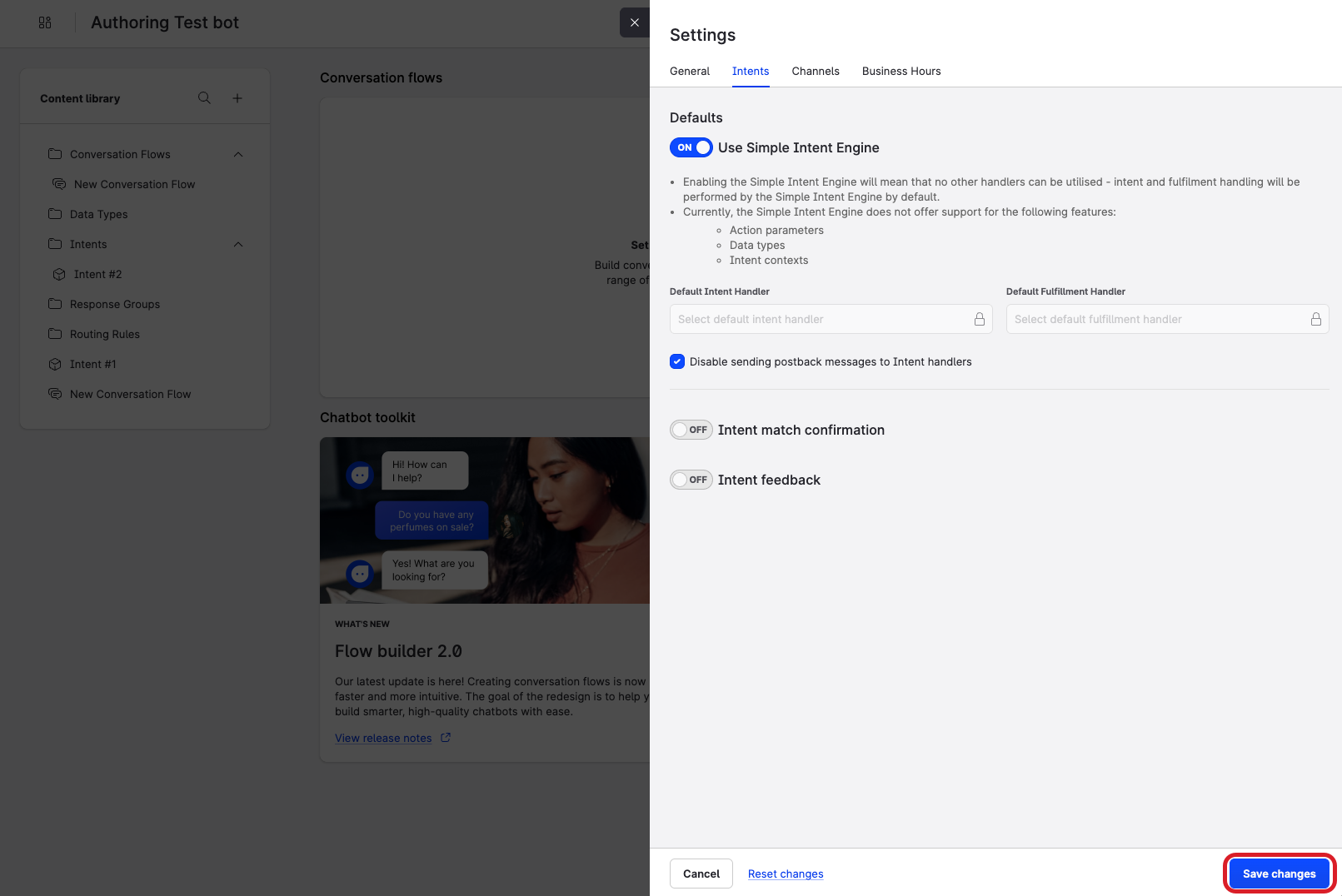
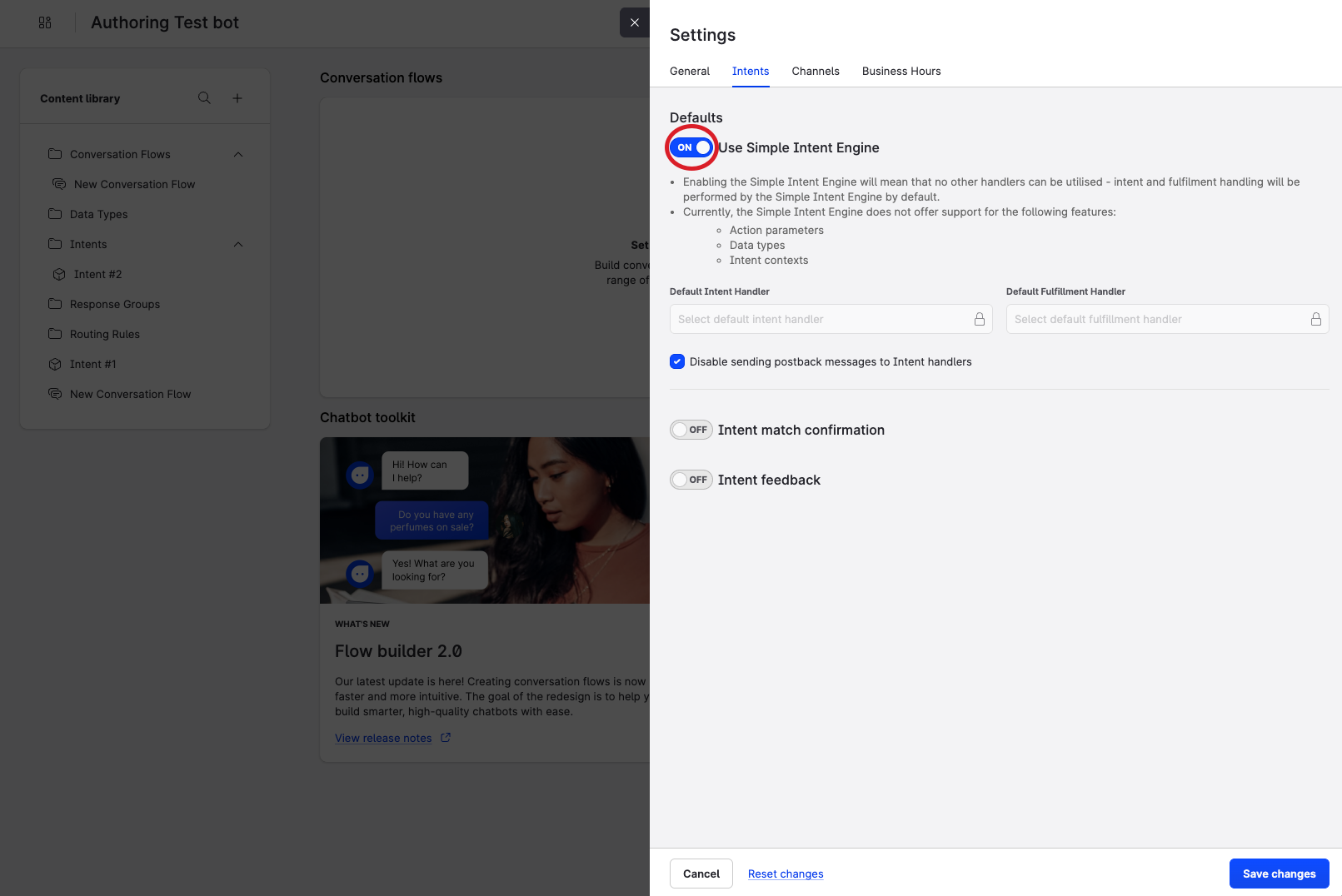
Beside Use Simple Intent Engine, switch the toggle on. This disables the ability to configure 3rd party handlers and enables the default usage of the Simple Intent Engine.
-
At the bottom of the Settings window, click Save changes.