
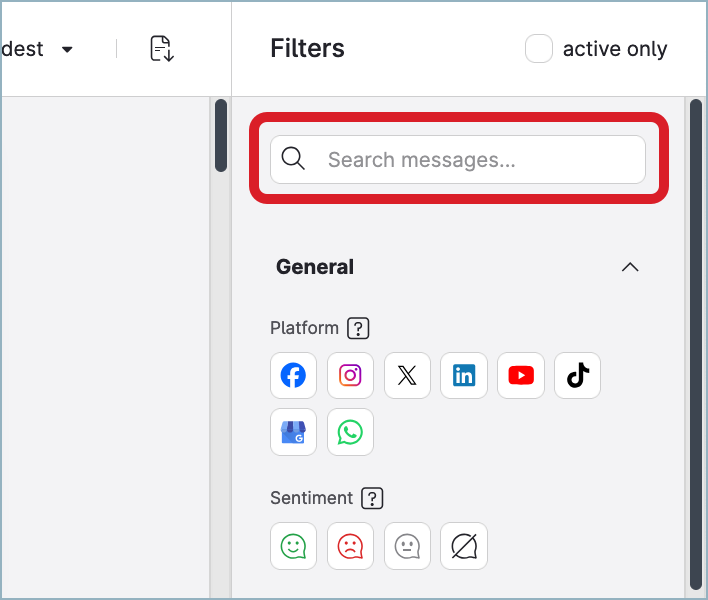
Search allows you to quickly find specific messages that you or other Community users are or were working on.
To help you narrow down the results, the search only looks in the messages in the current feed. This allows you to search, for example, only within the messages that are assigned to you or the messages where you are mentioned.
The search takes into consideration the text of the message and the author’s name.
When the logical operators are included in the search, the search takes into consideration only the text of the message and not the author’s usernames. In other words, only the classic plain text search works with usernames.
Keywords are not case-sensitive. sunglasses, SUNGLASSES, and Sunglasses are treated as the same keyword.
Use the logical operators and special characters to expand or narrow down your search.
Logical operators must be entered in UPPERCASE.
-
AND→ conjunction
Entersunscreen AND spfto search for the messages where both words “sunscreen” and “spf” appear. -
OR-> disjunction
Entersunscreen OR spfto search for the messages that:-
Contain the word “sunscreen” but do not contain the word “spf”
-
Contain the word “spf” but do not contain the word “sunscreen”
-
Contain both words “sunscreen” and “spf”
-
-
NOTor-(dash) -> negation
Enterapple NOT macintoshto search for the messages where the word “apple” appears except for the messages that contain both words “apple” and “macintosh”. -
""(quotation marks) → exact match
Enter“vintage keyboard“to search for the messages where the exact phrase “vintage keyboard“ appears. The messages that contain both words “vintage” and “keyboard” but not in this exact order will not appear in the search results. -
*(asterisk) → any number of characters at the end of a search term
Entersummer*to search for the messages containing the words that start with “summer”, such as “summer”, “summervibes”, “summertime”, and similar. -
()(parentheses) → search precedence
Use in combination with the other logical operators to specify in which order the search terms should be processed. The terms enclosed in parentheses are processed first.-
If you enter
(white OR red) AND wine, the search first locates all the messages that contain either the word “white” or the word “red”. Then, it narrows down the results by searching through the located messages to find only those that also contain the word “wine”. -
If you enter
white OR (red AND wine), the search first locates all the messages that contain both words “red” and “wine”. Then, it searches for the messages that contain the word “white”. The search results will contain the results from both these searches.
-
You can combine the logical operators to create more complex search queries, for example:
(((white OR red) AND wine) OR cheese) AND tast* AND "made in Italy" NOT "made in France"
For more information about all the available filters that you can use to search through Community messages, see Community Inbox Filters.