
In order to support a multilingual Bot experience, you must first add language variants to your Bot in order to configure its translations. This is required regardless of whether you plan to use automatic or manual translations.
Before you continue with adding language variants, ensure you have completed the default language variant of your Bot. Once that is done, we recommend you add additional language variants to your Bot via the translations interface, in the taskbar at the top of the screen.
-
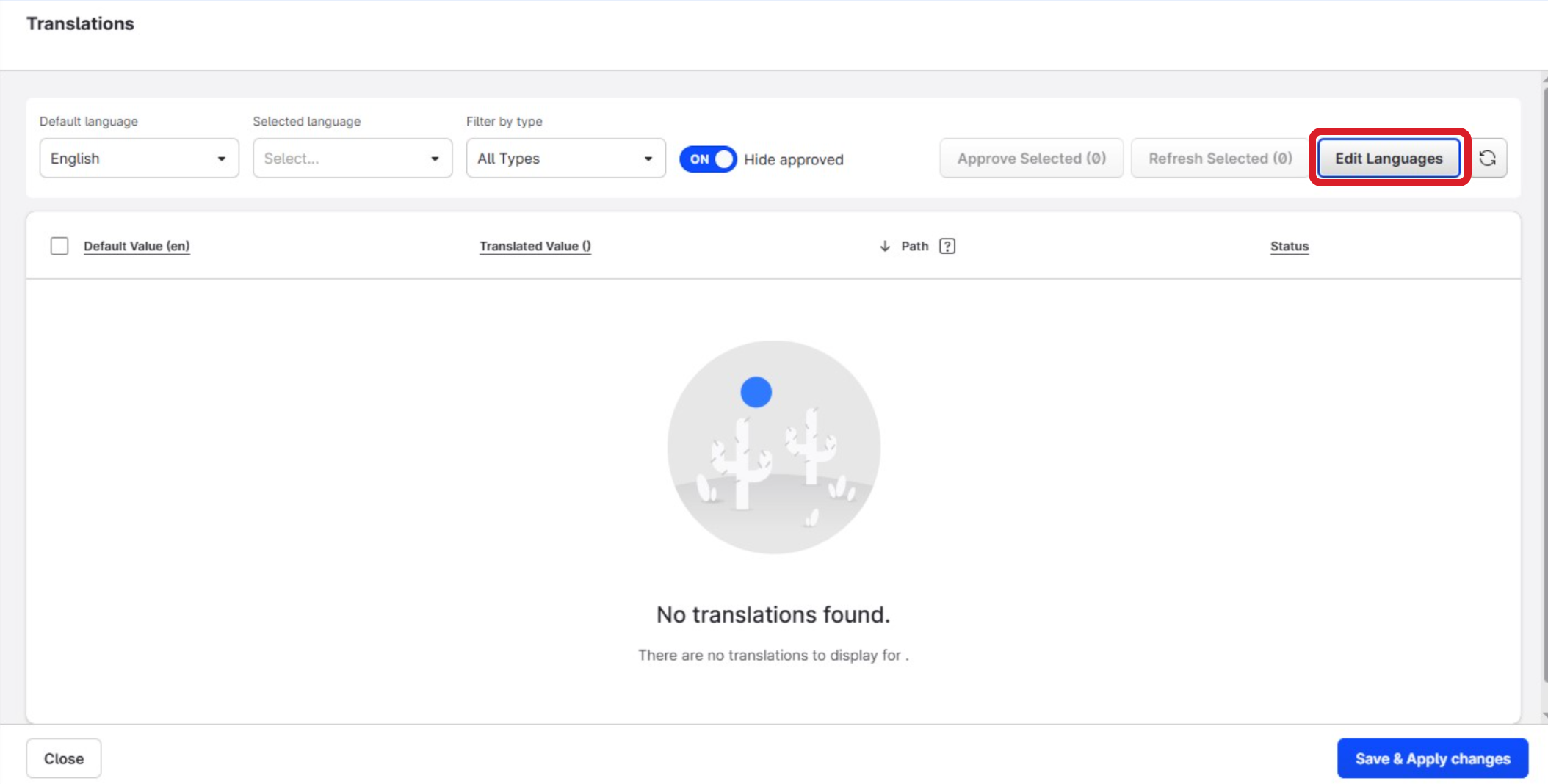
Click Translations, in the taskbar at the top of the screen.

-
Select Edit Languages to the right of the screen.
-
The language selector panel will open. Select the additional languages that you want your Bot to support. Click the language variants you want to support from the clickable checklist and click Update Languages.
The Translation module works based on pairs of languages. It will always translate based on the default language, providing a translation from this to be used in the paired language variant (e.g. English to Spanish).
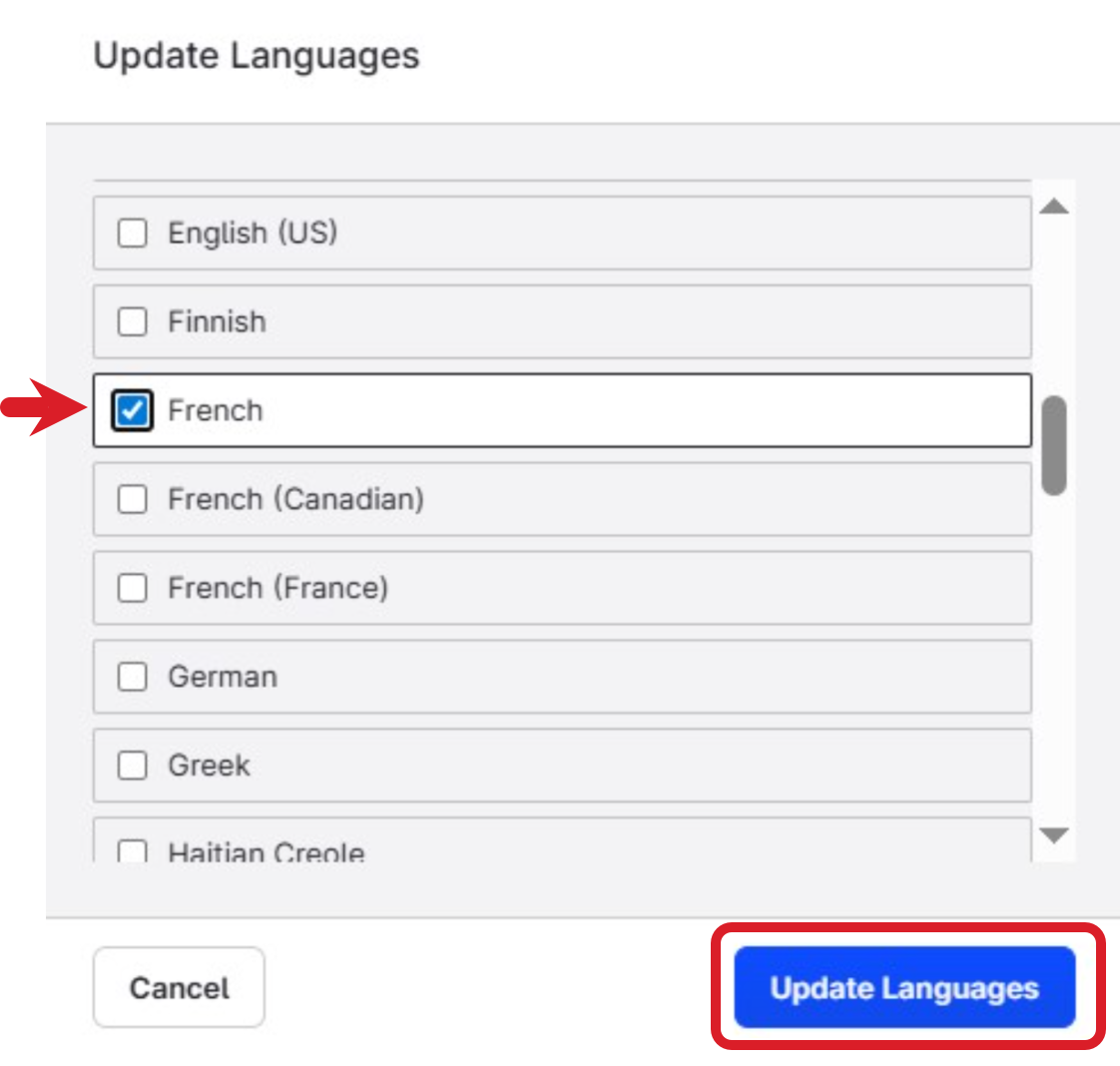
The language variants have been added.
To continue with the translations, refer to the following article: Translating Variants and Reviewing Translations