General description
The sum of lifetime reach for every piece of content published during the selected date range, divided by the number of content pieces from the same period. The set of content can be defined by profiles, content labels, or profile labels and filtered using various parameters.
This metric takes into account only owned content; Instagram user-generated content is not counted.
Platform
Facebook, Instagram, Snapchat, TikTok
Data that is processed by metrics in this TikTok widget is subject to a 24-48 hour delay. To learn more about data latencies, review the Reference table in TikTok’s API documentation at Accounts Insights data latency - Reference table for data latency.
API limitation: Video data in post level TikTok metrics will stop updating 365 days after the video was published.
Updated June 2026
For Facebook, this metric now counts unique media viewers (was unique impressions). Values may read higher than before. The two definitions are not directly comparable. This is expected and reflects Meta's change in how viewers are counted, not a calculation change in Emplifi.
Historical data is backfilled from May 1, 2025. For full context, see Facebook Metric Deprecation (June 2026).
Platform reach
Cross-platform
Alternative/Specific description
-
Snapchat
The sum of lifetime reach for every snap published during the selected date range, divided by the number of snaps from the same period. The set of snaps can be defined by profiles, content labels or profile labels, and filtered using various parameters.
Organic or Boosted
-
Organic + Boosted
Facebook, TikTok
For Facebook, this metric compares post performance for organic vs. paid data. Paid data shows promoted/boosted posts related to a Facebook page.
Some posts are counted in both categories if they appear as both organic and paid to a user. Metrics may vary due to Facebook API limitations.
-
Organic
Instagram, Snapchat
Private or Public
Private
Level
Post
ADS
No
Dimension
date.day
Organic vs Boosted/Paid split option (Facebook only)
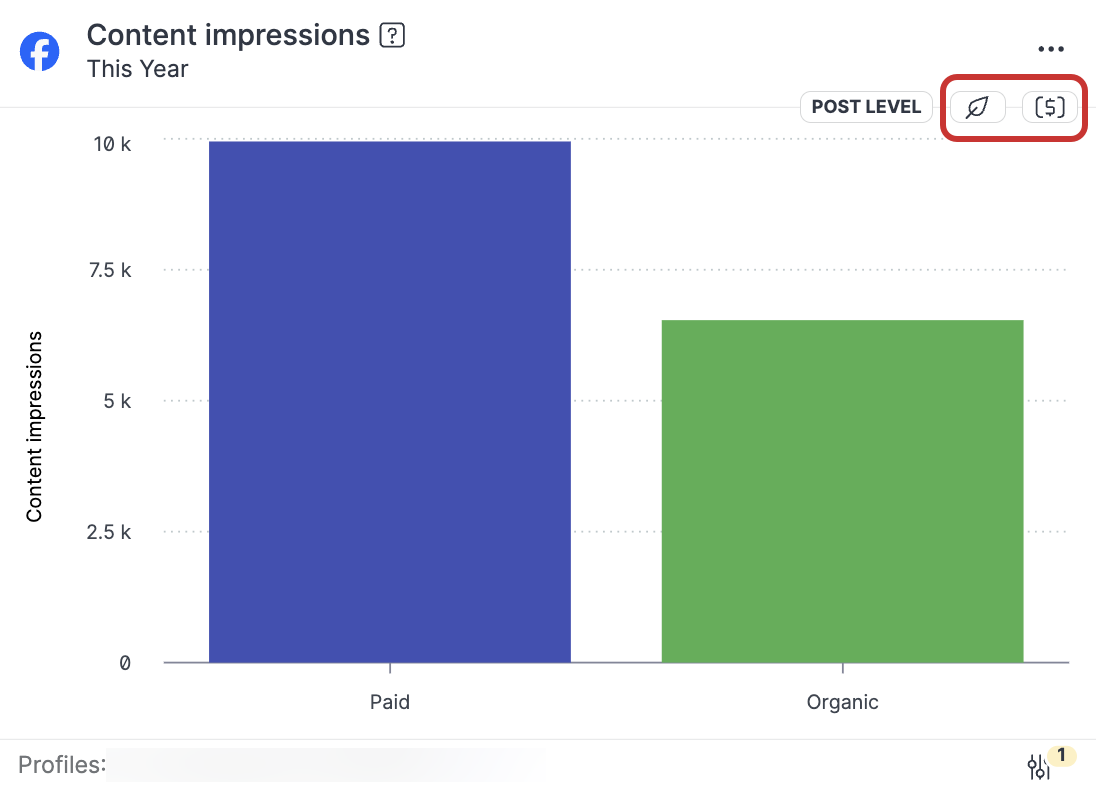
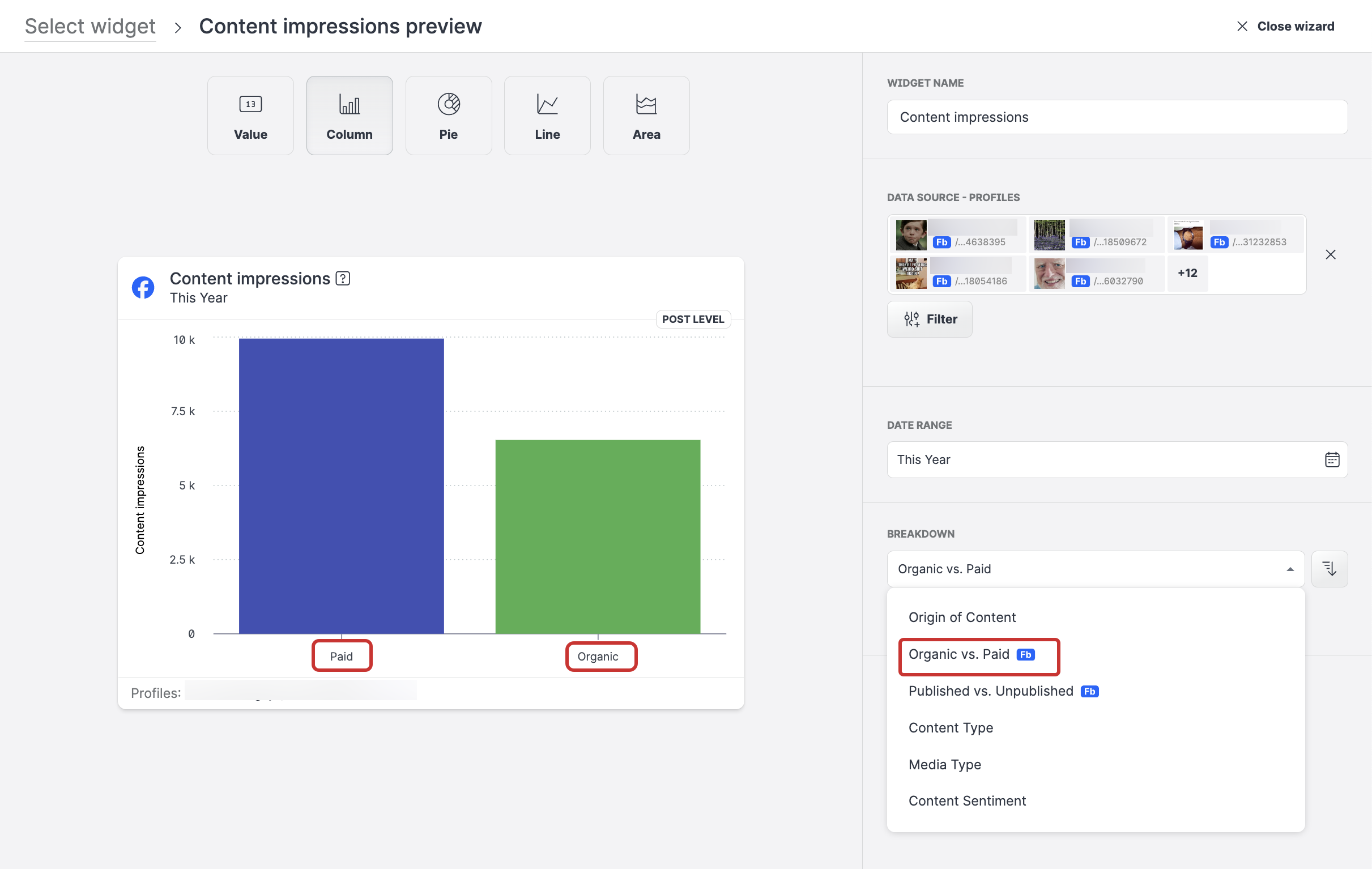
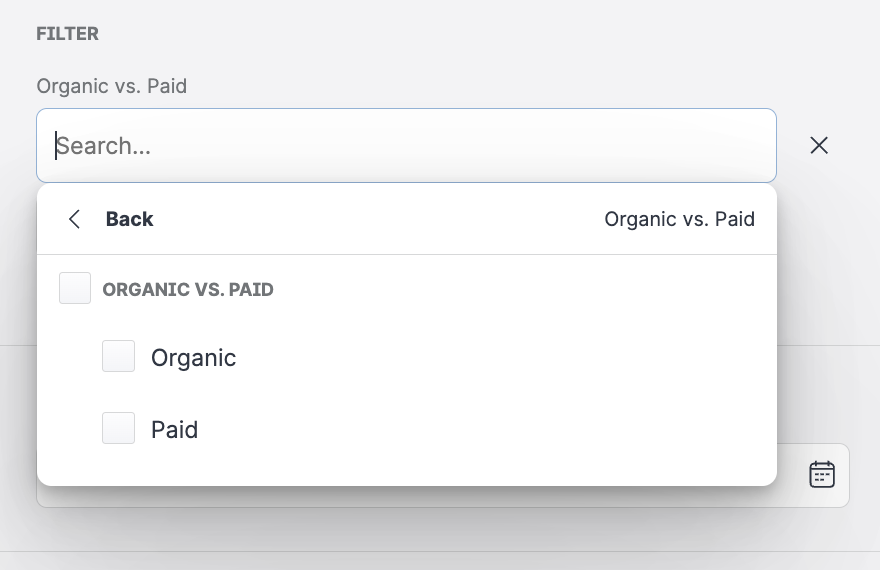
You can easily display and review the impact of your promoted content by using the Organic vs Paid option in the Breakdown and Filter menus when you are designing your widget.
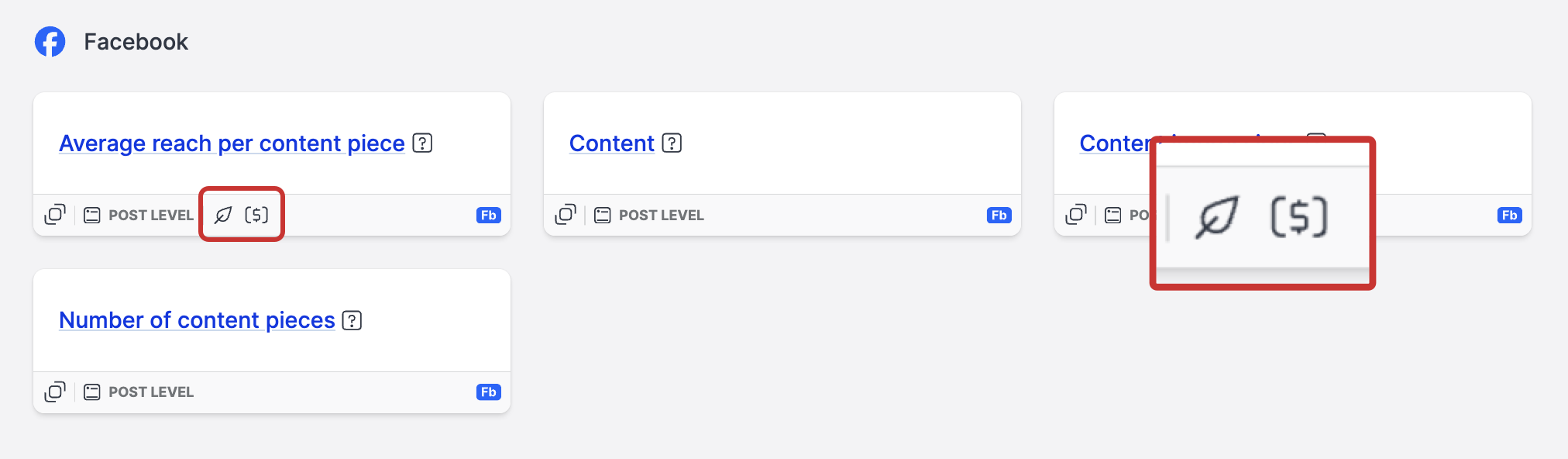
The option is available for the following widgets:
The availability of the organic vs boosted/paid split in individual widget is indicated by additional icons:
Facebook reels use just one video views metric. No other data is included and FB reels do not support the organic/boosted split. This is down to API limitations. As a result, we are using the blue_reels_play_count mapped into Emplifi's video_views metric.
Examples:
Breakdown
Filter
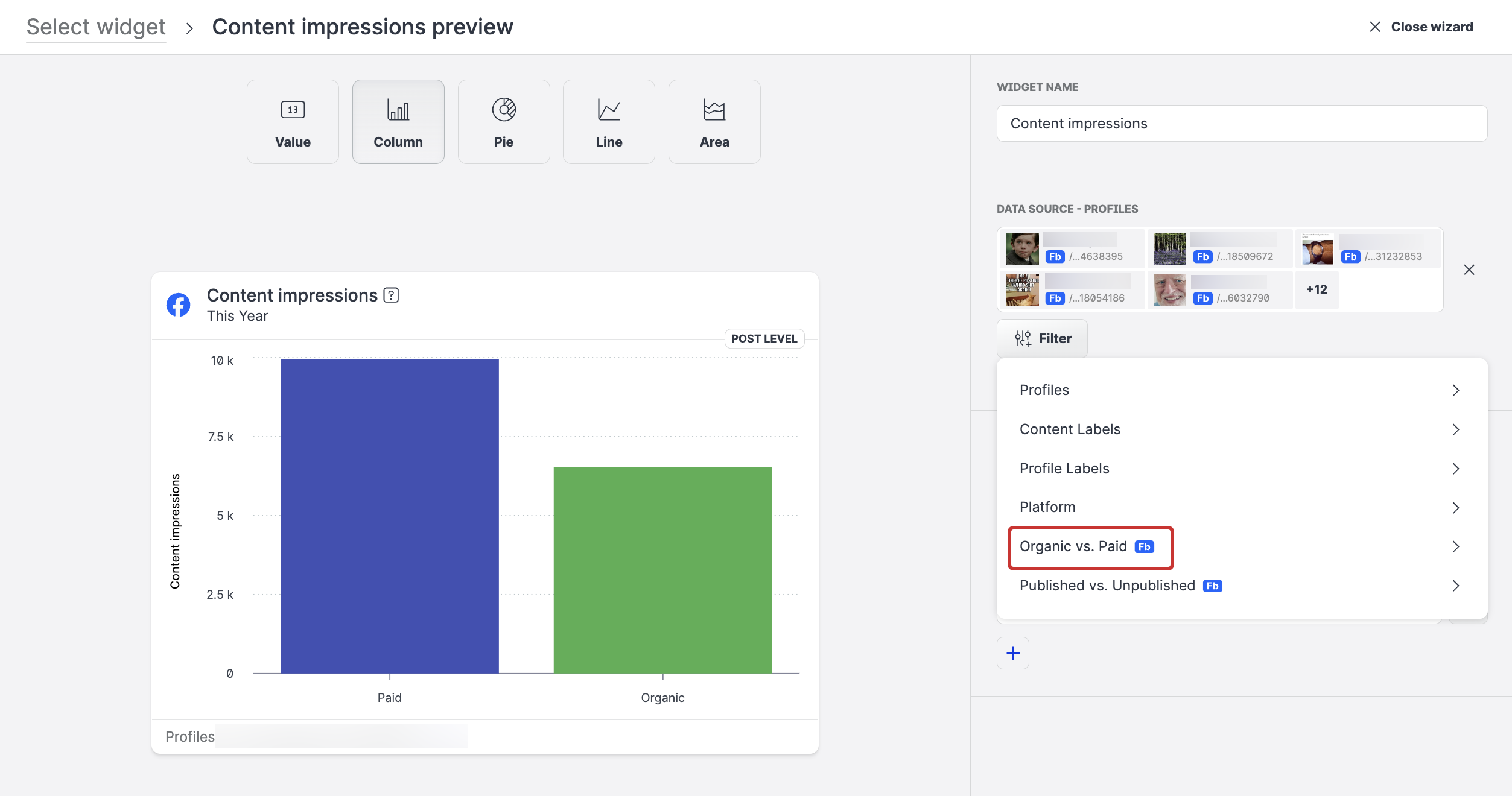
Filter options
After you design your widget, the Organic vs Boosted/Paid filters are indicated by their icons directly in the widget’s visualization on the dashboard.