To export and share the entire board, refer to: Share a Unified Analytics Board.
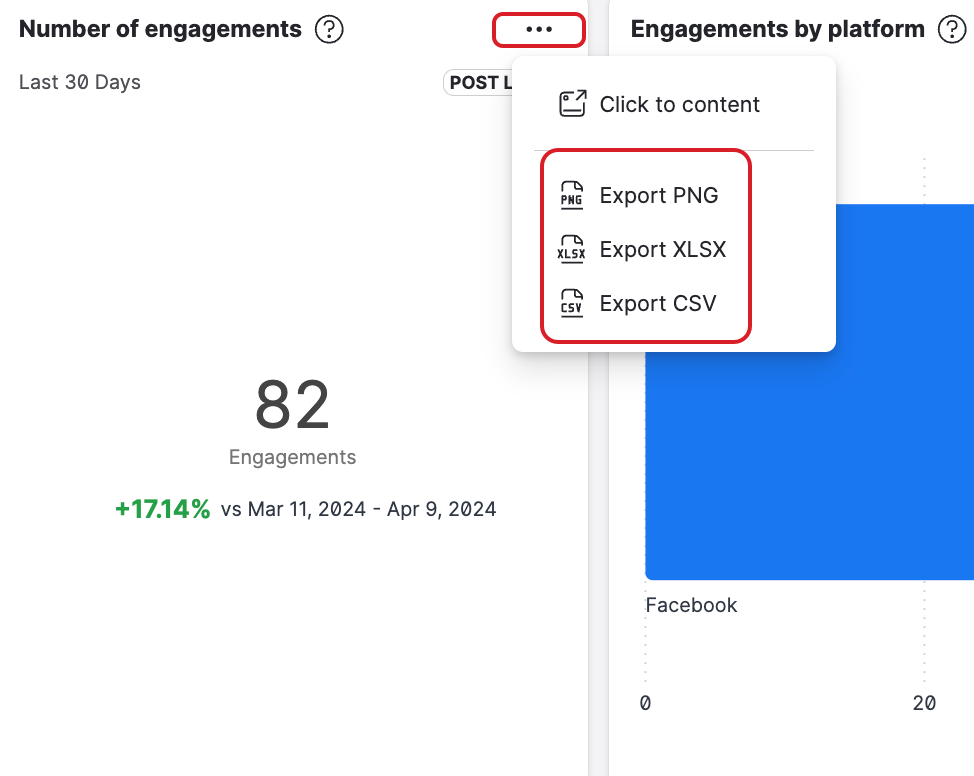
In Unified Analytics, you can export most of the individual widgets in the following formats:
-
PNG: Ideal for presenting data. Note: Downloaded PNG files automatically receive Emplifi branding.
-
XLSX and CSV: Ideal for detailed data analysis.
For vertical bar charts with many bars, if all bars cannot fit within the widget’s width, an aggregated “Other” bar will appear. The bars with the lowest values (typically those on the right) that do not fit within the widget will be grouped into the “Other” category.
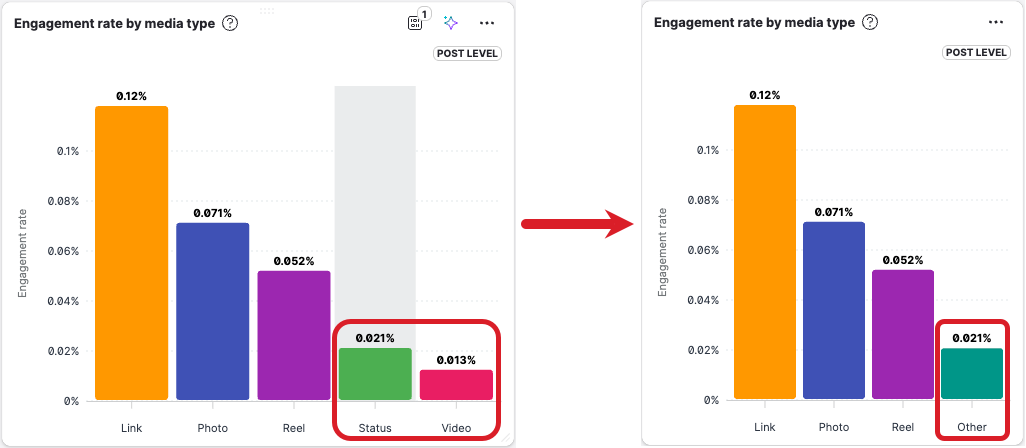
When exporting a bar chart like this, the data is exported in one of two ways:
-
PNG: The chart is exported as an image reflecting its appearance in the Unified Analytics widget. If the widget is not wide enough and some bars are aggregated into the “Other” category, the exported PNG will display them the same way.
-
XLSX and CSV: The data is exported in raw format. Any bars that are aggregated into the “Other” category in the Unified Analytics widget will appear as individual bars in their original form.
For more information, refer to: Bar Chart Display and Export Behavior in Unified Analytics.
You can also export tables to PNG, XLSX, or CSV, with numbers, percentages, and currencies keeping their formatting. The Table visualization is currently in early access — for details, refer to: Table visualization in Unified Analytics.
To export a widget:
-
In Unified Analytics, navigate to the relevant widget you want to export.
-
In the widget, click the ellipsis icon.
-
Select the relevant format you want to export the widget in.
The file downloads automatically.