
Salesforce Social Studio is a tool that allows you to schedule your own social content and gather analytics for them. If you are already using Social Studio, this will be a great additional feature for you. Follow these directions to get started:
-
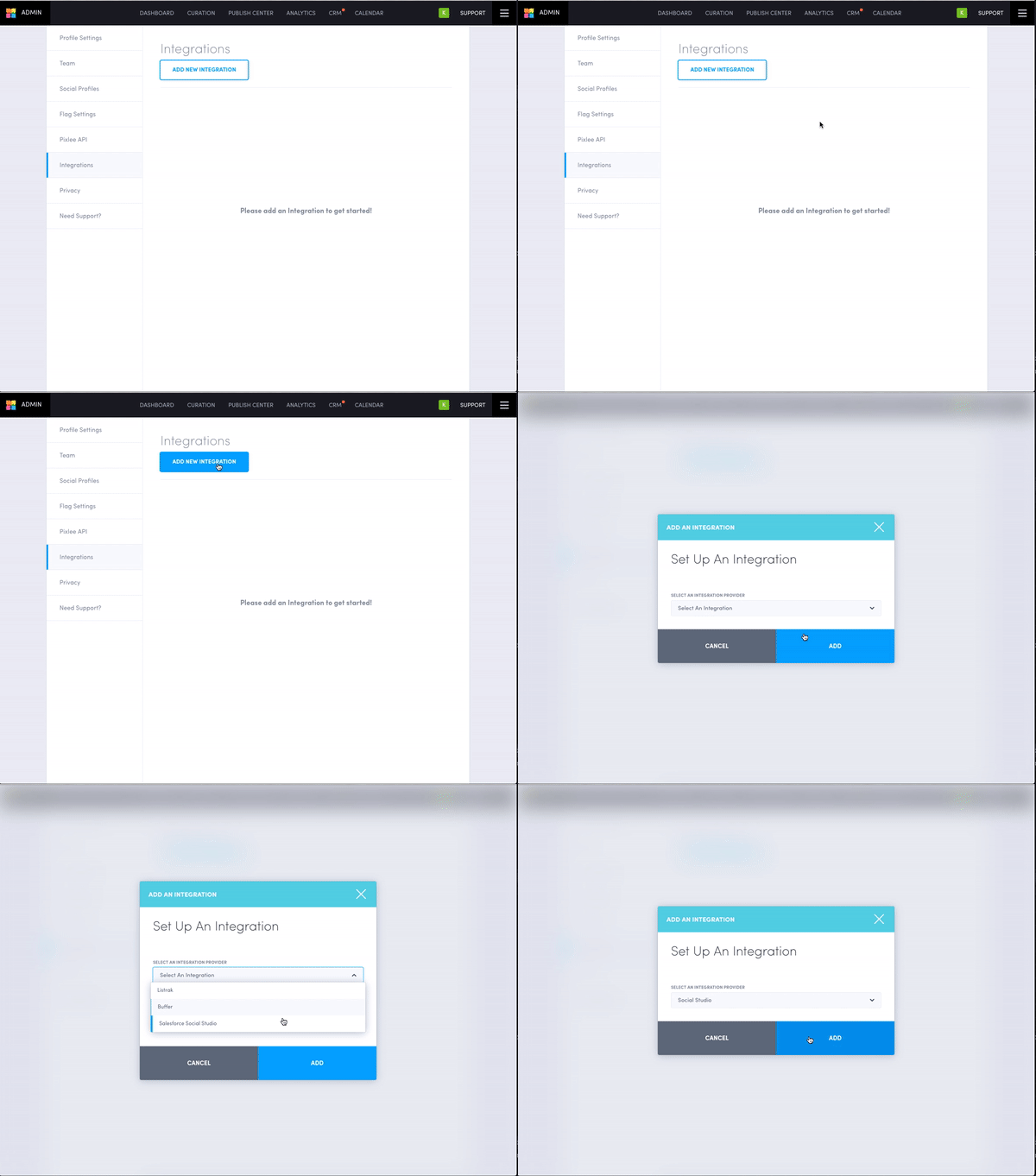
You’ll first need to authenticate Social Studio via Emplifi UGC - you can do this by going into the "Integrations" section of your settings and clicking the “Add New Integration” button.
-
Select “Salesforce Social Studio” from the dropdown, and click “Add” - this will trigger a popup where you can authenticate your Salesforce Social Studio account. When completed, you should see "Social Studio" in your integrations list.
-
After authenticating, you will be able to start sending content! Click into a piece of content in an album. Click the newly added “Upload to Social Studio” button underneath the “Other Actions” dropdown.
-
Choose a message and "Social Studio Workspace" you would like to send your content to.
-
Once it’s been sent, your content will be available in the “Shared Content” section of your selected workspace.
Do you have feedback or more questions? You can contact us through our Emplifi Customer Center.