
Post promotion on Facebook has become essential for any company looking to reach their audience, and with over 70% of companies promoting their content, the level of competition continues to rise. What if you could not only track the effectiveness of your own promoted posts, but that of your competitors as well?
What is Promoted Post Detection?
Emplifi uses Promoted Post Detection algorithm to do just that. It defines a promoted post as a post which has nonzero paid reach, i.e. someone spent some money to draw more attention to the post via pushing it upward the news feed of individual Facebook users. PPD can detect successfully promoted posts.Using Promoted Post Detection, you can get exclusive owned and competitive insights. How effective is your promoted content? What percentage of interactions are on promoted posts compared to organic? Which competitors are investing heavily into their content and when? What content are they promoting, and how is it performing with their audience? You can use these insights to justify your promotion budget.
View these insights in both the Analytics module of the platform and in Content Hub.
Promoted Post Detection in Analytics
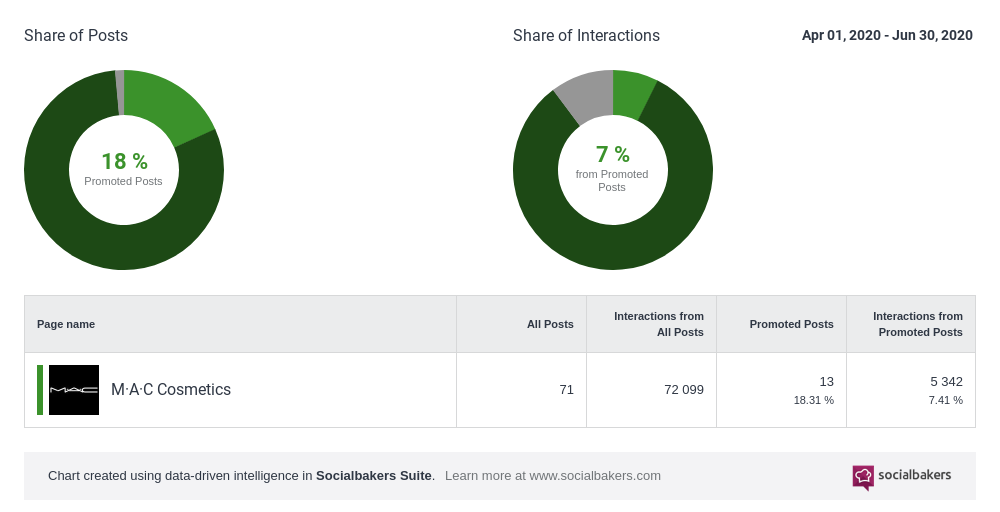
Here in Analytics, search for the profile you'd like to view data and then click to Promoted Post Detection in the left-hand panel. Here is the promotion strategy for one profile using public data.
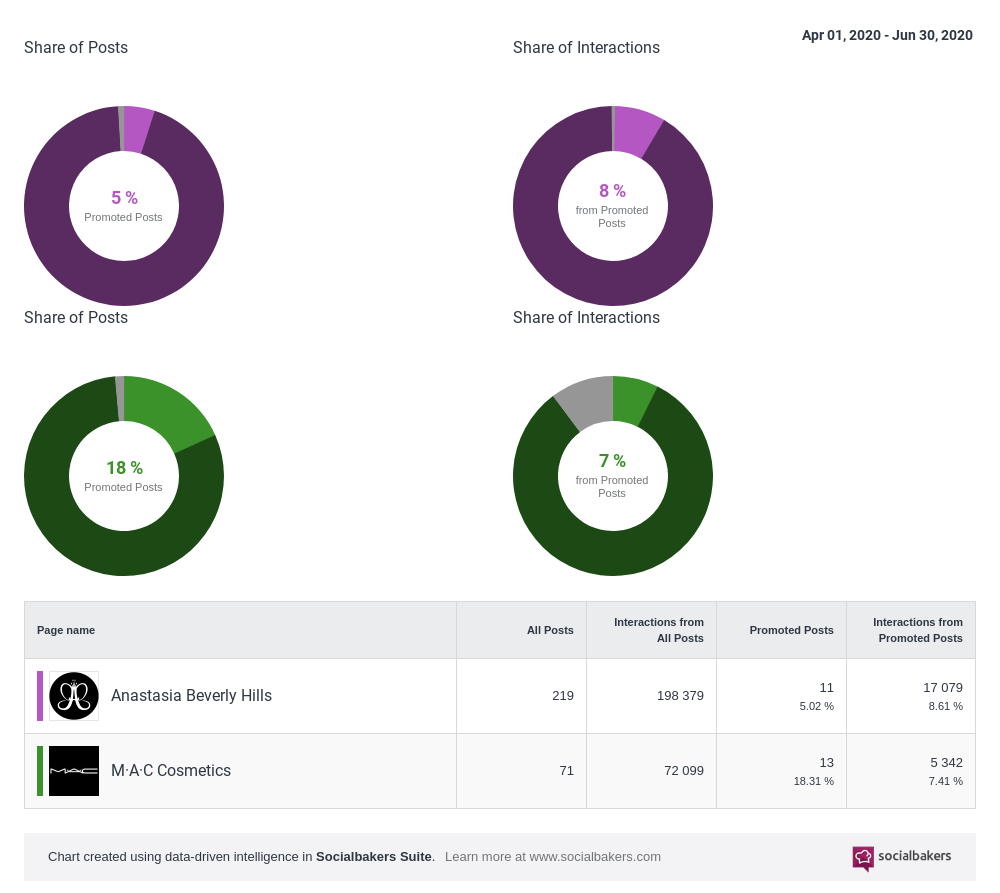
And here's a competitive head-to-head of two brands for a look at promoted content efficiency.
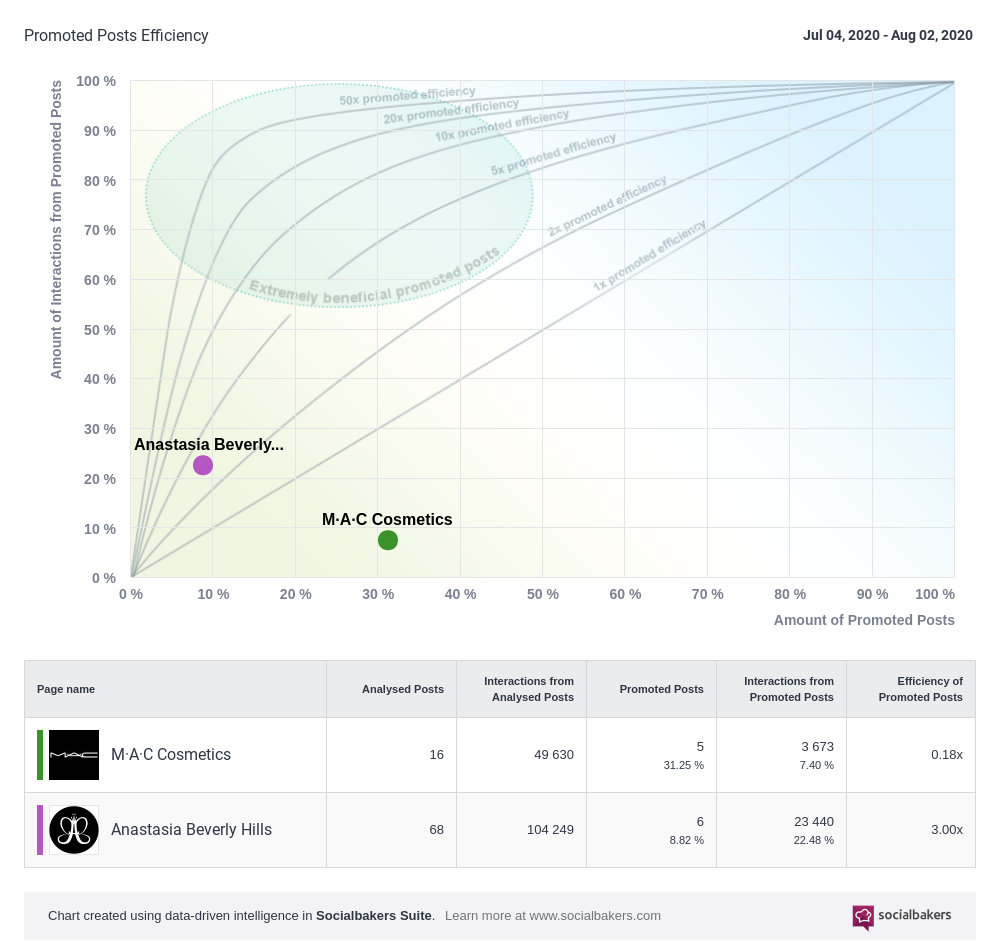
The Promoted Post Detection graph clearly illustrates the relationship between the number of promoted posts and the interactions from these promoted posts.
Ideally, you should aim for your posts to be in the Extremely Beneficial Promoted Posts area of the graph. If you fall within this section, your promoted post strategy is on the right track.
Promoted Post Detection as a Filter in Content Hub
In Content Hub → Feed, open the filter settings panel from the search bar. Set Promoted post detection to Organic, Promoted, or Both, then click Search.
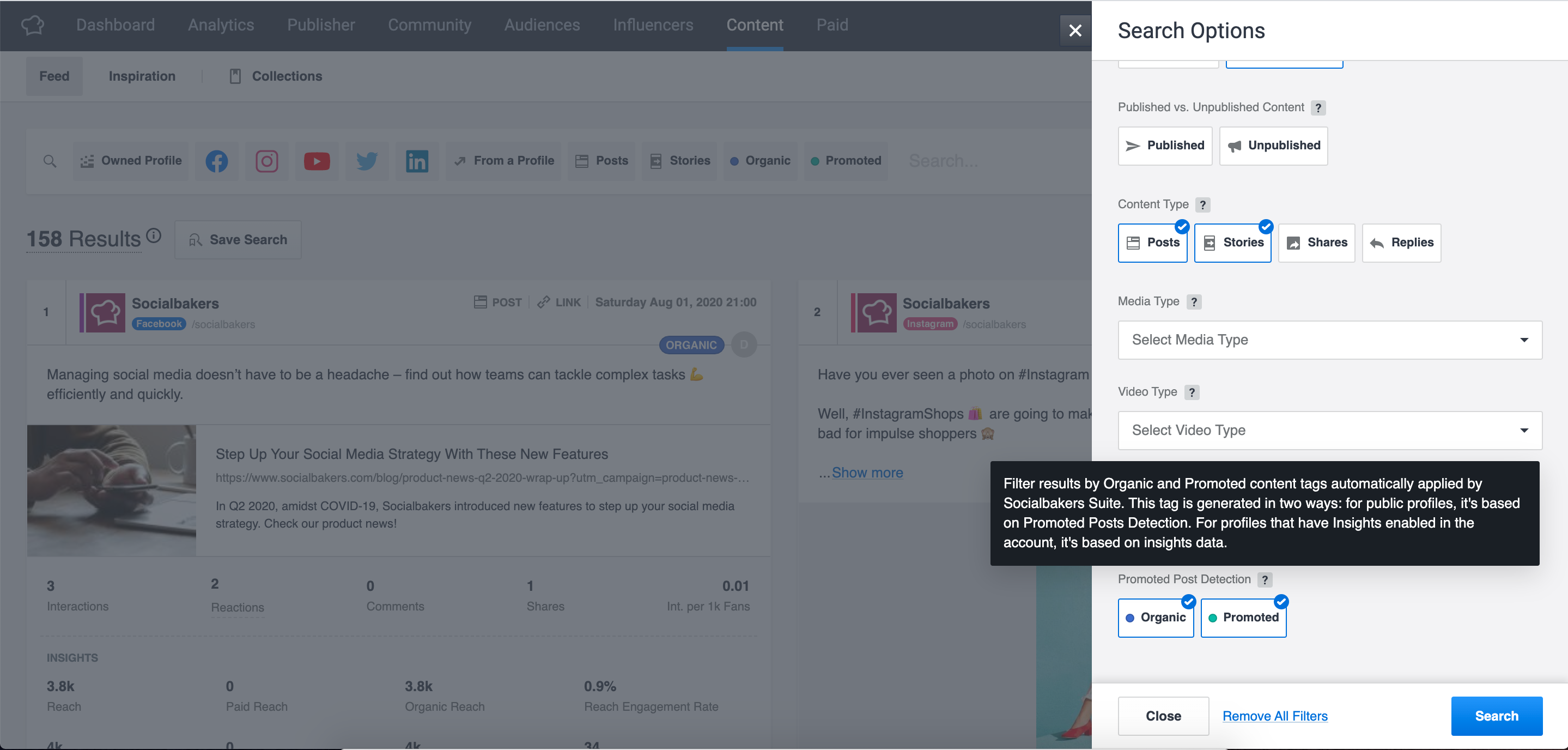
When looking at results, check out the tags in the top right-hand corner of a post. A blue "organic" tag or a green "promoted" tag will indicate what you need to know.
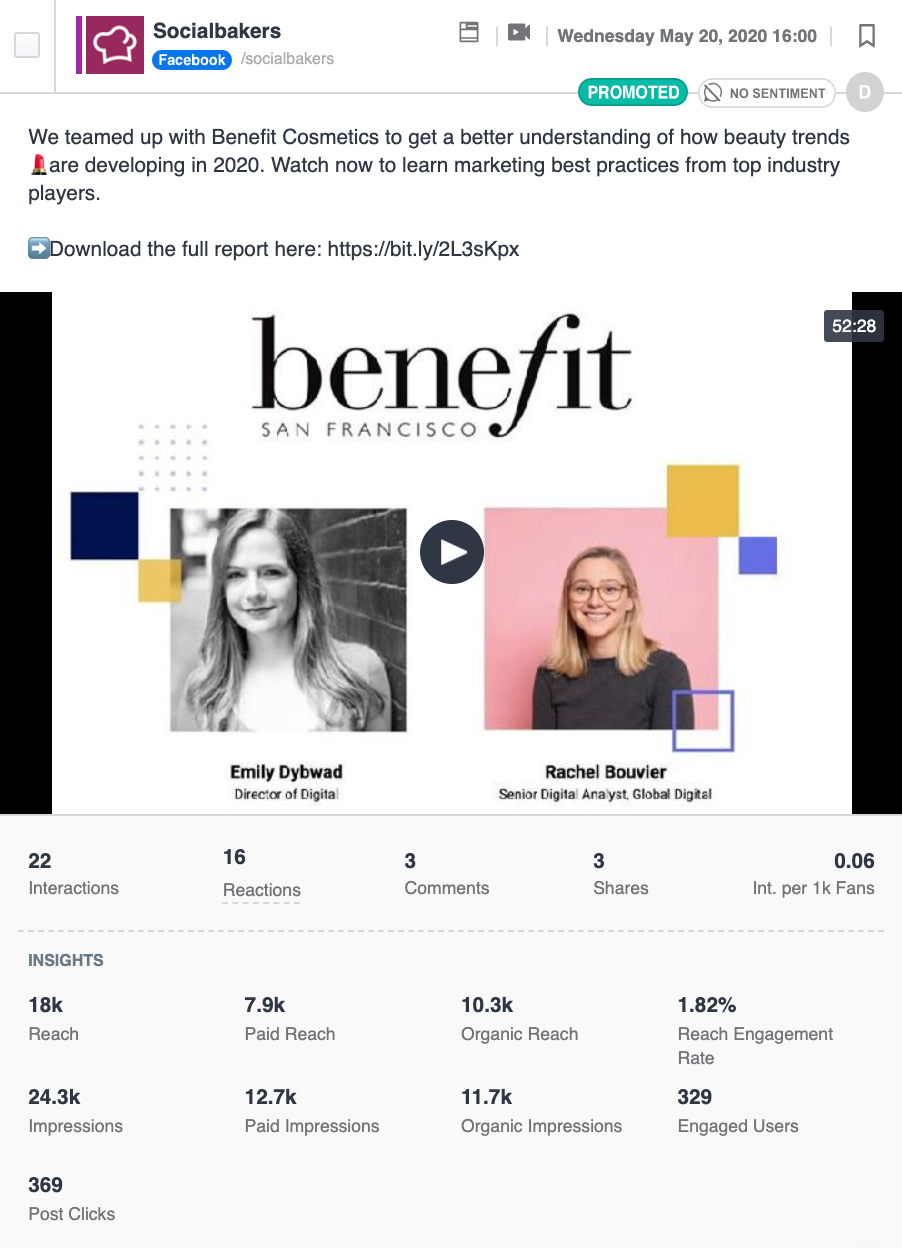
Here is a "promoted" post, with insights connected.
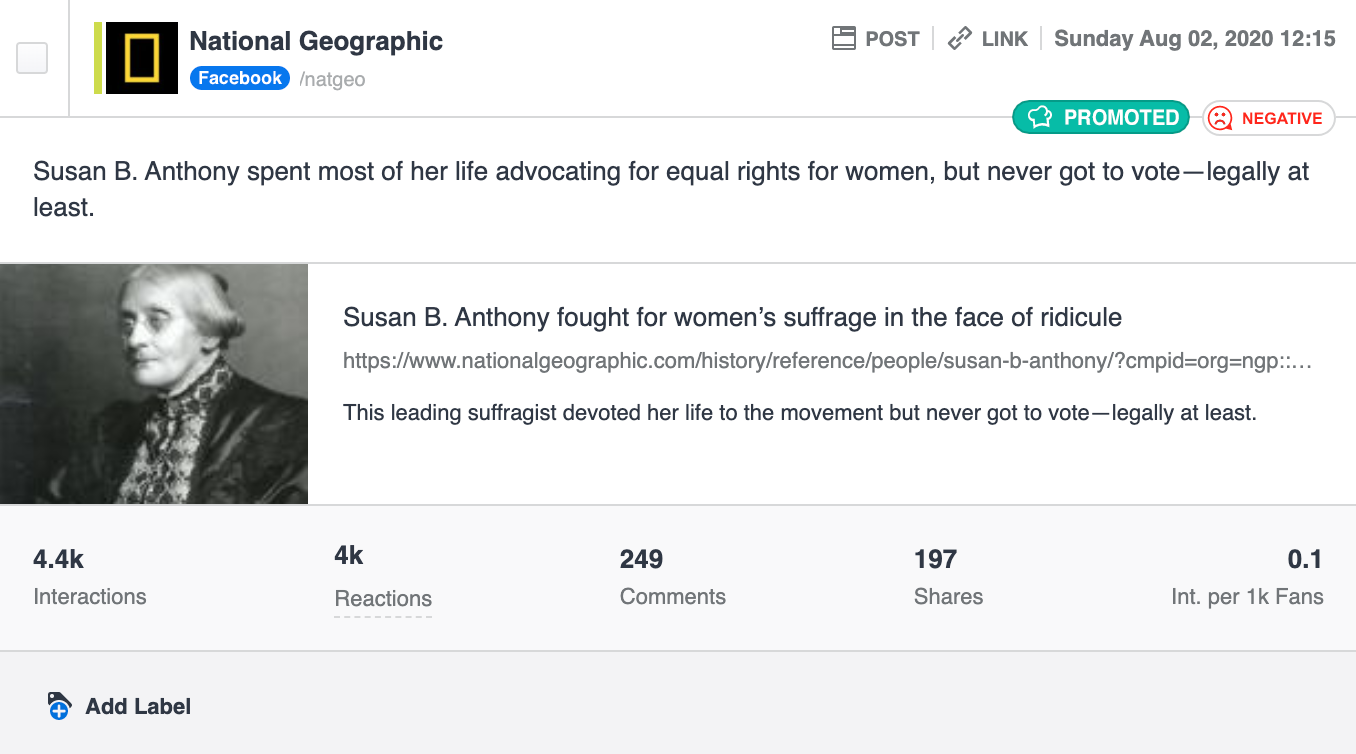
Here is a "promoted" public post, with no insights connected.
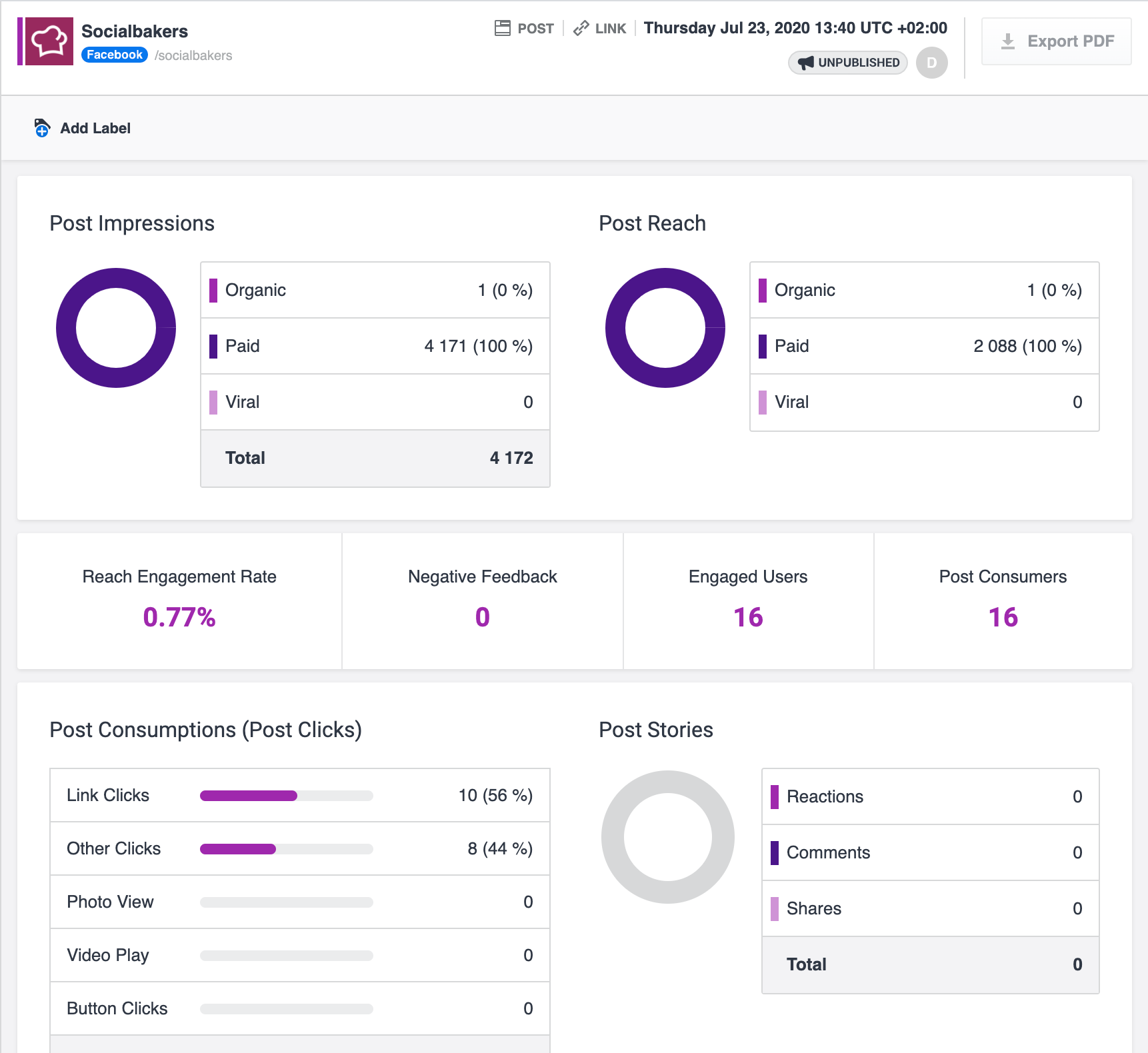
Additionally, a grey "unpublished" tag will also provide you with more insight. On Facebook, an unpublished posts is a status update, link share, photo, or video not intended to be shared as an organic post. Thus, it it never published, only surfaced as an ad. Click into the post detail to get detailed insights.
PPD or Performance Prediction
Promoted Post Detection (PPD) classifies each post as Organic or Promoted. You’ll see it inside Content Hub tags and filters and Unified Analytics Promoted post detection boards
Performance Prediction forecasts how well an organic post will perform, using a grade from A+ through D. You’ll see it in Content Hub post detail and content-card tags and Unified Analytics Performance prediction boards
An Organic tag from PPD means the post was not detected as promoted. It does not guarantee that a predicted performance grade will appear. Performance Prediction needs its own historical engagement data on the profile before it can forecast a grade.
For full details on grades and data requirements, see Predict the Performance of Your Profile and Content.
When a predicted grade is missing
A post can be correctly tagged Organic and still show no predicted grade in Content Hub or Unified Analytics. This is expected in several situations:
-
Post is Promoted or Unpublished
-
You’ll see no predicted grade. This is expected, as grades apply only to organic, published posts.
-
-
Post is older than 72 hours
-
You’ll see the Grade as frozen or unavailable for promotion recommendations. This is expected, as the prediction window focuses on recent posts.
-
-
Profile was newly added to Emplifi
-
You might see Organic tag, but no predicted grade. This is expected, as Performance Prediction needs roughly six months of historical content and engagement data on the profile before it can forecast grades.
-
-
Post has very few interactions
-
You might see a less certain PPD classification or the grade may be missing. This is expected, as accuracy improves with interaction volume.
-
Note on post detail messaging
In Content Hub post detail, the Performance Prediction section may show a single unavailable message that mentions promoted or unpublished posts. That message covers several causes at once. If the post is tagged Organic and published, the most likely reason for a missing grade is insufficient historical data on the profile, especially for newly added public profiles.
For how PPD classifies posts on public vs owned profiles, see Detect and Analyze Promoted Posts.
Related topics